Homelab / docker?

This is AMAZING!!

Any possibility of adding a docker image as a deployment option? I’m guessing a lot of homelab folks would love to have a docker image to align with the way we run always-on apps that we run in our homes. This could even make it easy to add as an app on Home Assistant.

Thank you, glad you are enjoying it.

Docker is not on our roadmap at the moment, and I would rather say that plainly than leave it sitting as a maybe. A few of the reasons, because they are more interesting than “no” with the first two concerns right off the top of my head being:

Updates. Fixes reach owners through Yardstick’s own update button, so when something needs fixing we can get it to everybody quickly. With a container that goes away: you would pull a new image whenever you happened to notice, and we would have no way to reach an install that had a problem we already knew how to fix.

The secure address. Yardstick publishes its own address so your phone or tablet can reach it with a real certificate and no warnings. Inside a container that address is usually the container’s internal one rather than the one on your network, so it would need specific networking to work at all, and it would fail quietly for a lot of people.

Supported platforms. We ship Windows, Mac on Apple silicon, and Debian and Ubuntu including the Raspberry Pi, and all of them get tested on every release. Adding another way to run it means another thing to test properly rather than half support.

None of that is “never”. It is “not now, and not before the update and other issues we have not considered is solved”.

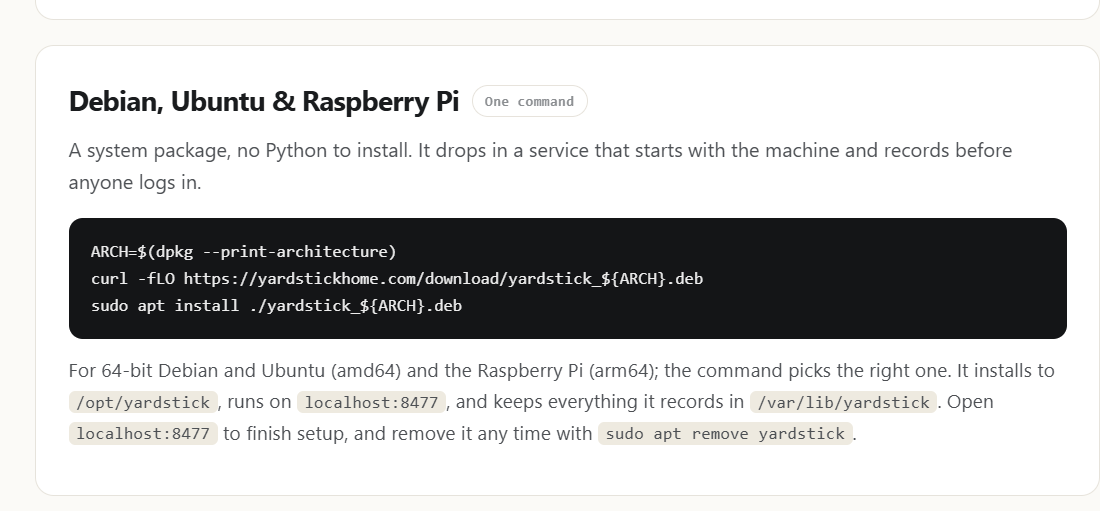
For what it is worth, a Raspberry Pi running the .deb gets you most of what you are after: always on, low power, no spare PC needed. A number of people here run it exactly that way.

One more thing, since it is close to what you are actually asking for. We are working on an alternative for people who would rather not run something always on at home. I am not going to say more than that yet, but we expect to be announcing it in the coming weeks. Shameless plug for an update to keep an eye out for…

1 Like

hopefully not overstepping here, but i made this work for me on docker since i already had my certificate management working on the host.

below is generally how i did it

I had to build the docker file myself:

Dockerfile

FROM debian:bookworm
COPY ./yardstick_amd64.deb /tmp/yardstick.deb
RUN apt install /tmp/yardstick_amd64.deb

ENV XDG_DATA_HOME="/var/lib/yardstick"
ENV HOME="/var/lib/yardstick"
ENV PYTHONUNBUFFERED=1
ENTRYPOINT ["/opt/yardstick/yardstick","serve","--port","8477","--note","deb"]

build Dockerfile

ARCH=$(dpkg --print-architecture)

curl -fL https://yardstickhome.com/download/yardstick_${ARCH}.deb -O yardstick.deb

docker build -t yardstick Dockerfile

compose file

services:
yardstick:
image: yardstick
container_name: yardstick
restart: unless-stopped
ports:
- 8477:8477
volumes:
- yardstick_data:/var/lib/yardstick
volumes:
yardstick_data:

docker compose -f yardstick up

obviously to update this you’re on your own to download the latest deb file then build the newest container and reboot.

2 Likes

the formatter ate my spacing :frowning:

1 Like

Appreciate the openness. I get it.

Any chance you could add the version number to the .deb file like you Windows and MacOS? I don’t mind rolling my own docker compose setup, but I don’t like using (effectively) “latest”?

Something like: https://yardstickhome.com/download/yardstick_**YARDSTICK_VERSION**_${ARCH}.deb

Then I could do something like this in one docker-compose setup:

.env file:

YARDSTICK_VERSION=1.0.8

docker-compose.yml file:

services:
  yardstick:
    build:
      context: .
      args:
        YARDSTICK_VERSION: ${YARDSTICK_VERSION}
      dockerfile_inline: |
        FROM debian:bookworm
        ARG YARDSTICK_VERSION
        RUN apt-get update && apt-get install -y curl \
            && curl -fL https://yardstickhome.com/download/yardstick_${YARDSTICK_VERSION}_amd64.deb -o /tmp/yardstick.deb \
            && apt-get install -y /tmp/yardstick.deb \
            && rm /tmp/yardstick.deb \
            && rm -rf /var/lib/apt/lists/*
        ENV XDG_DATA_HOME="/var/lib/yardstick"
        ENV HOME="/var/lib/yardstick"
        ENV PYTHONUNBUFFERED=1
        ENTRYPOINT ["/opt/yardstick/yardstick","serve","--port","8477","--note","deb"]
    image: yardstick:${YARDSTICK_VERSION}
    container_name: yardstick
    restart: unless-stopped
    ports:
      - "8477:8477"
    volumes:
      - yardstick_data:/var/lib/yardstick

volumes:
  yardstick_data:

looks like the version can be pulled from the DEB file, so you can do this

VERSION=$(dpkg-deb -f yardstick_${ARCH}.deb Version)

docker build -t yardstick:$VERSION Dockerfile

and that will make it so you aren’t always on latest

Good news, that already exists. It just is not written down anywhere.

Every Linux package is published under a versioned name, and the file the download page points at is only a symlink to the newest one. So these are live right now:

https://yardstickhome.com/download/yardstick_1.0.8_amd64.deb
https://yardstickhome.com/download/yardstick_1.0.8_arm64.deb

Older versions stay where they are, so 1.0.2 and 1.0.5 are still there if you ever want to go back to one. Your compose file works as written once you drop that URL in. They will get cleaned up from time to time however.

If you would rather not hand-edit a version number on release day, there is a manifest the application itself uses to check for updates, and it is public:

https://yardstickhome.com/release/latest.json

It carries the current version, the URL for each architecture and a sha256 for each, so a build can pin and verify in one step:

ARCH=$(dpkg --print-architecture)
M=$(curl -fsSL https://yardstickhome.com/release/latest.json)
VERSION=$(echo "$M" | jq -r .version)
URL=$(echo "$M" | jq -r --arg a "$ARCH" '.linux[$a].url')
SHA=$(echo "$M" | jq -r --arg a "$ARCH" '.linux[$a].sha256')

curl -fsSL "$URL" -o yardstick.deb
echo "$SHA  yardstick.deb" | sha256sum -c -

One thing worth flagging for anyone copying from further up the thread: debian:bookworm ships with no package lists, so apt-get update has to run before the install or it will fail resolving the .deb’s dependencies. Your version already does this.

Two things I should say plainly, the same as before.

This is still not a supported way to run Yardstick, and the above is about as far as we can usefully help. If something goes wrong inside a container we will have a hard time telling whether it is us or the container.

And the update button inside Yardstick will not work in there. It replaces the package on the machine, which is not something a container can sensibly do to itself. So rebuilding when a new version comes out is on this process you are building (its good). That is the part I would most like you to keep in mind, because the moments it matters are the ones where we have already found and fixed whatever is biting you. Keeping an eye on the changelog is the way to stay ahead of it. Off Disclaimer Soapbox now.

If you do run it this way, we would be glad to hear how its going!

2 Likes

appreciate the feedback and the information about the ‘latest.json’ will have to work that in to the simple update script i have to build the latest

update-image.sh :
ARCH=$(dpkg --print-architecture)
curl -fLO https://yardstickhome.com/download/yardstick_${ARCH}.deb
VERSION=$(dpkg-deb -f yardstick_${ARCH}.deb Version)
docker build -t yardstick:$VERSION .
docker build -t yardstick:latest .

for me so far so good. The original install went to my windows laptop and it wasnt accessible by anything else in my network (and it went to sleep all the time). moving it to my docker system has been great, notably I do have traefik and ssl certificates setup for everything and wireguard to get to it remotely so it cuts down on a lot of issues that non-technical people would normally get stopped up at

In case anyone else is looking for an easy way to use docker or kubernetes I created a task that publishes an image (every 6 hours). I’ve been using a private version of this for a couple weeks in my Talos cluster and it’s been great.

3 Likes

@depasseg thank you for all of your hard work on this.

We’ve gone through everything, and you’ve done an absolutely amazing job creating this image. It’s clean, it’s well built, and it’s exactly what the homelab folks here have been asking for.

To the greater community: We’re excited to work with @depasseg on this, and we’ve added it to our website as a fourth download option, for Docker, Unraid, Synology and Kubernetes: Download Yardstick

@depasseg will keep developing the image, and we look forward to working closely with him on it in the future. Thank you, Greg!

4 Likes