It doesn’t appear that when editing a plan the areas are in any specific order. I have a specific order for my plans especially because they usually involve a ton of dead ends for hills that are one way only.
The map editor is great though, I have already cleaned up a lot of little weird edge/corners/curves that were never quite right.
You’re not missing anything. A plan doesn’t have an order, in Yardstick or in the Yarbo app: the robot doesn’t follow the order of the areas inside a plan, however you stack them, so Yardstick’s plan editor doesn’t let you set one either. The only setting the robot has is smart sorting, and that still doesn’t promise any particular order.
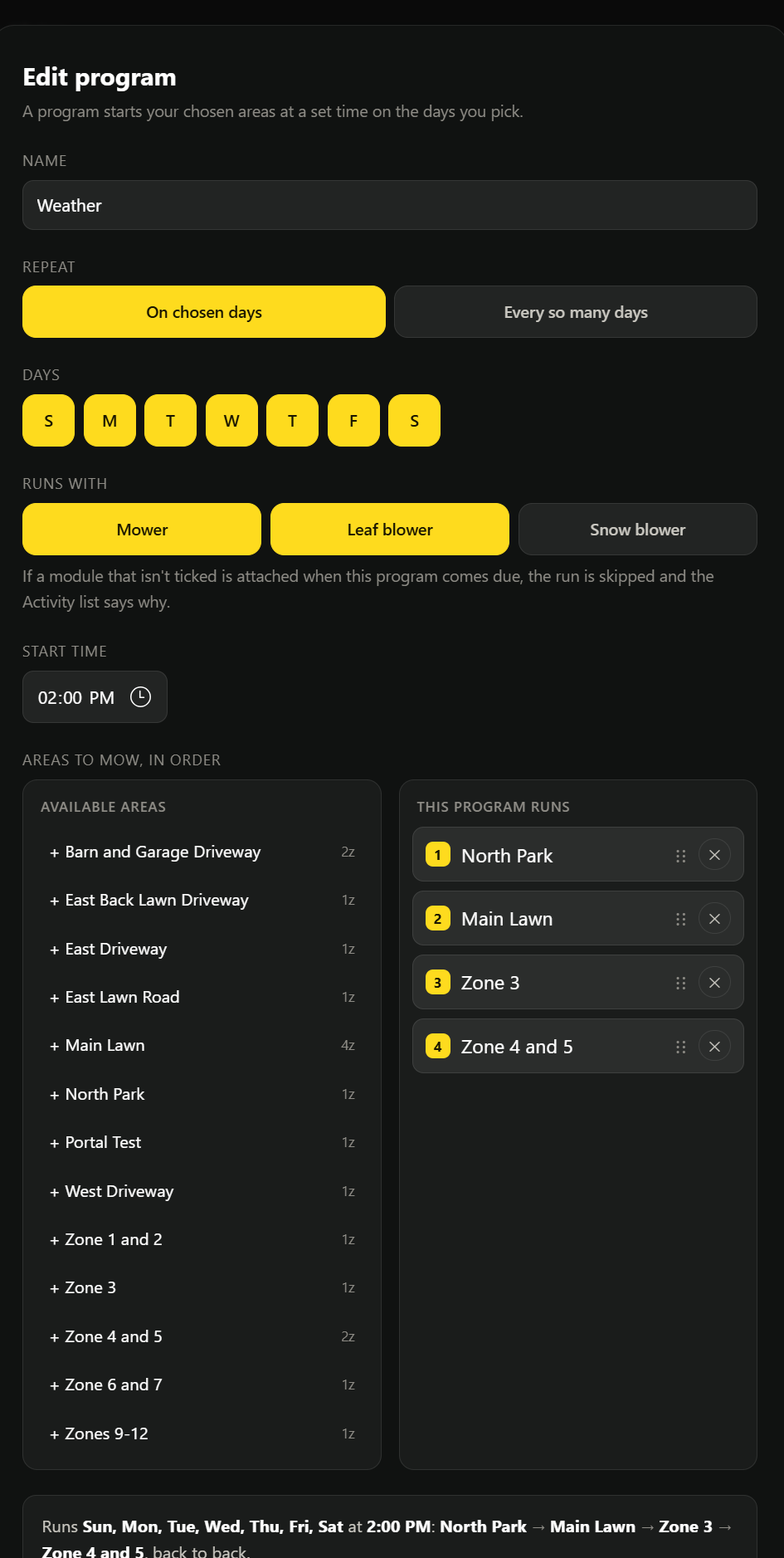
The way to get a guaranteed order is the Scheduler in Yardstick. Make a plan for each piece that has to go in sequence (each hill, or each group of dead ends), then put those plans in a program on the Scheduler page in the order you want. A program runs its plans one after another, exactly in the order you list them, so your one-way hills always go the way they need to. As far as we know, Yardstick is the only app that will do that.
Really? Yarbo follows the areas within the order I put them inside a job/program. I drag and rearrange them and it obeys whatever order they are in, you have to uncheck smart sort, but following an order of areas has been there for me.
@Mike So when we use the Yardstick scheduling it is completely separate from any Yarbo stuff? What I mean is, a Yardstick schedule is not visible in the Yarbo app at all and so we are basically just never using the Yarbo schedules at all then? The Yarbo app then just would display the rover running a plan and have no info on the schedule?
One other unrelated question. A while back there was a guy on the Yarbo forums doing some web UI stuff retrieving maps etc. but at the time we could not save a map. I assume you are able to get the maps as geojson, so if that is the case what are the chances of allowing import/export of a map. My idea has always been to use a rtk survey stick as a means to map some stuff easier than driving yarbo around. For instance, trees and rocks/boulders etc for no go zones would be way easier with a stick. If we could export geojson we could use it in another mapping app like swmaps to map the features and then import it back into yardstick. Or maybe we could do something more slick.
I owe everyone a correction and an apology: I misunderstood the question. After talking it through with development and with @Bryan.Wheeler, it’s clear that in the Yarbo app, with Smart Sorting off, the order of the areas in a plan is the order the robot mows them. @jmichas and @gfmedia were right.
It’s coming in the next release. Yardstick’s plan editor will have Smart Sorting exactly as it works in the Yarbo app: turn it off and you can put the plan’s areas and dead ends in order, and Yardstick saves the plan that way. While building it we also fixed a related problem, where editing a plan in Yardstick could change the order you had set in the Yarbo app.
We’re a small team working through hundreds of requests, and the release we’re finishing now carries over 30 that owners asked for. We answer fast because that’s the point of doing this differently, and once in a while that means we get one wrong, as I did here. If something we say doesn’t match what you see, tell us and we’ll dig in. Thanks for the patience, and for helping us get it right.
Schedules. Yes, they’re completely separate. You can’t have a Yarbo schedule and a Yardstick schedule running at the same time, because the two would fight over the robot. So when you turn on Yardstick’s Scheduler, it switches your Yarbo app schedules off. While it’s on, it checks again each time Yardstick starts and each time you open the Scheduler page, switches off any Yarbo schedule that has come back on, and tells you which one. The Yarbo app will show the robot running a plan as usual, but it won’t know anything about the Yardstick program behind it. From then on, Yardstick is where your schedules live.
GeoJSON import and export. Mapping trees and rocks with an RTK survey stick is a neat idea. We’ll investigate it and consider it.
 , you guys beat me
