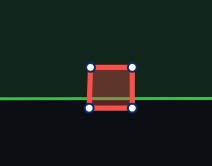
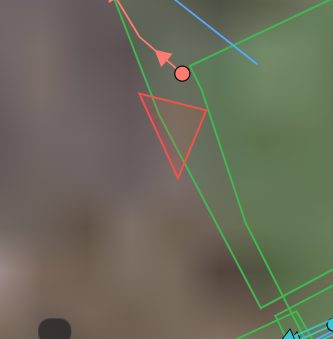
What is the best option for mapping fence posts that Yarbo routing can understand?
A:
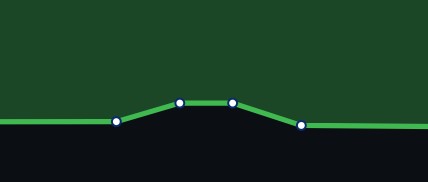
B:
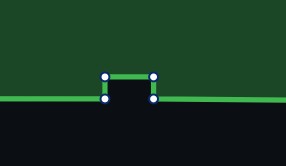
C:
Circular no-go zone centered on the post. I have dozens on my property marked.
The less turns you have entered into the map along boundaries, the better for Yarbo planning it is and the easier it is to adjust in the future. You can move NGZs around, you can’t move the boundary around as easily.
Thanks, but if my posts are square, which better: circle NGZ or square NGZ?
Yarbo can’t drive arcs yet, at least not in it’s route planner paths…I usually do triangles
If the post are big enough and you really need to get that close you could try squares, probably will take a little longer and risk turf damage, but I’m thinking next spring/summer there should be some improvement on navigation you might just want to try every now and then after firmware updates, or if you have a lot of posts to test around maybe just leave a few different options and check on them occasionally If you manually do the trimming anyways, just keep it 6-12" away so it gets straighter more efficient paths and adds negligible amount of time to your trimming routine
@bbeier I was told the minimum radius of a No-Go circle was 1.7 feet radius. Is you square pole larger than 1.7’ radius?
Personally I am using your Option B. Using Yardstick’s Map Editor to fine tune the corners so there is minimal trimming afterwards. I don’t own the Trimmer module so trimming is manual for me.
I believe the “larger than 1.7’ radius” is Yarbo’s mapping software limitation.
I put in a bunch of 4"x4" & 6"x6" posts (option C) with Yardstick & the routing compensated accordingly.