I keep getting an error and cant figure it out, Ive tried moving and adjusting points with no luck
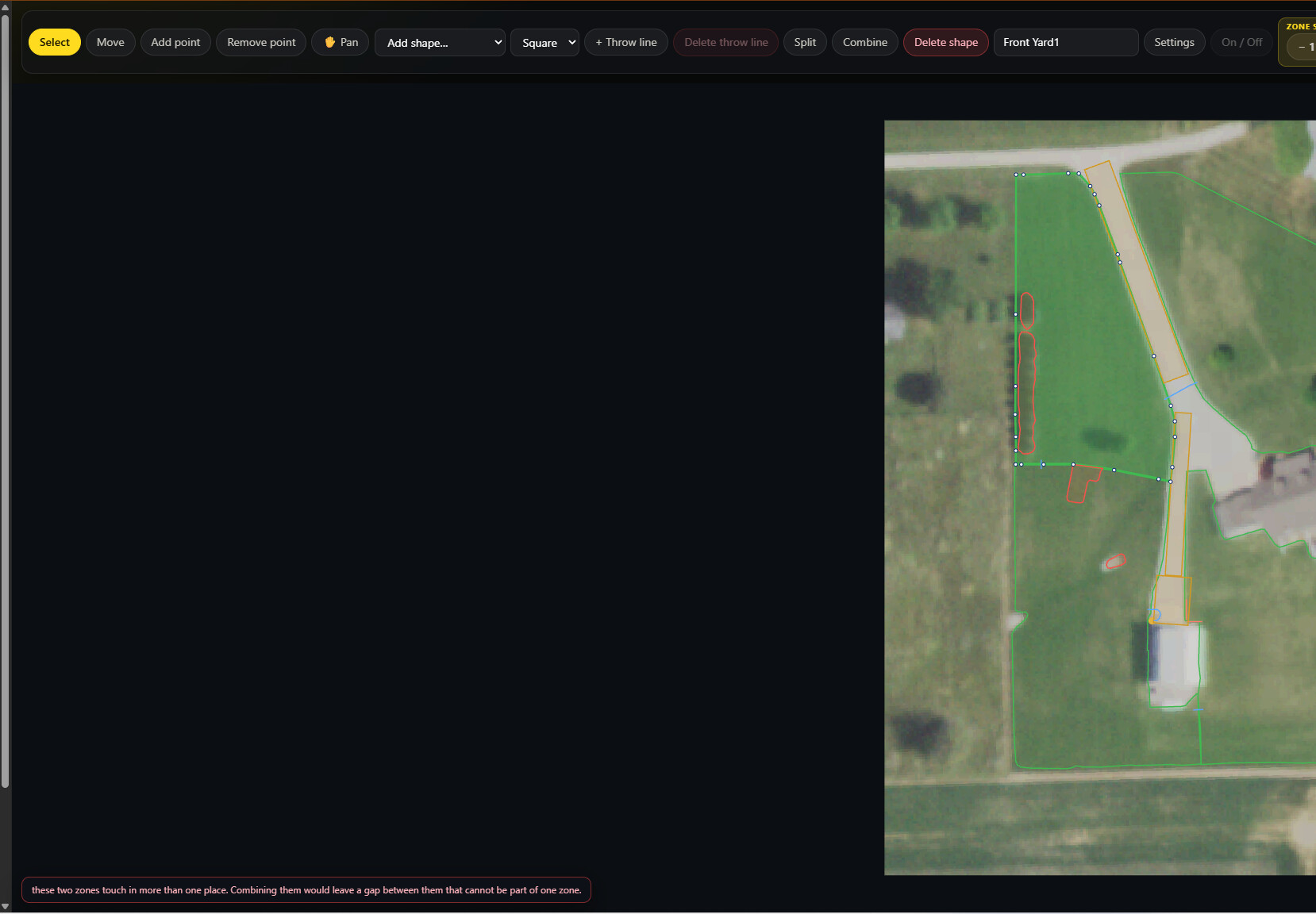

What 2 areas are you trying combine on your map?
@Mike I’m actually get this error as well. If I select Area 1, click Combine and select Area 2 I get the same error. However, if I reverse the order to select Area 2 then Area 1 it works. One of combine checks must be seeing something it doesn’t like.
Edit: I figured it out. There was overlap between the two areas. When I removed the overlap, it worked in either order. I’m not sure if it’s intended to work that way?
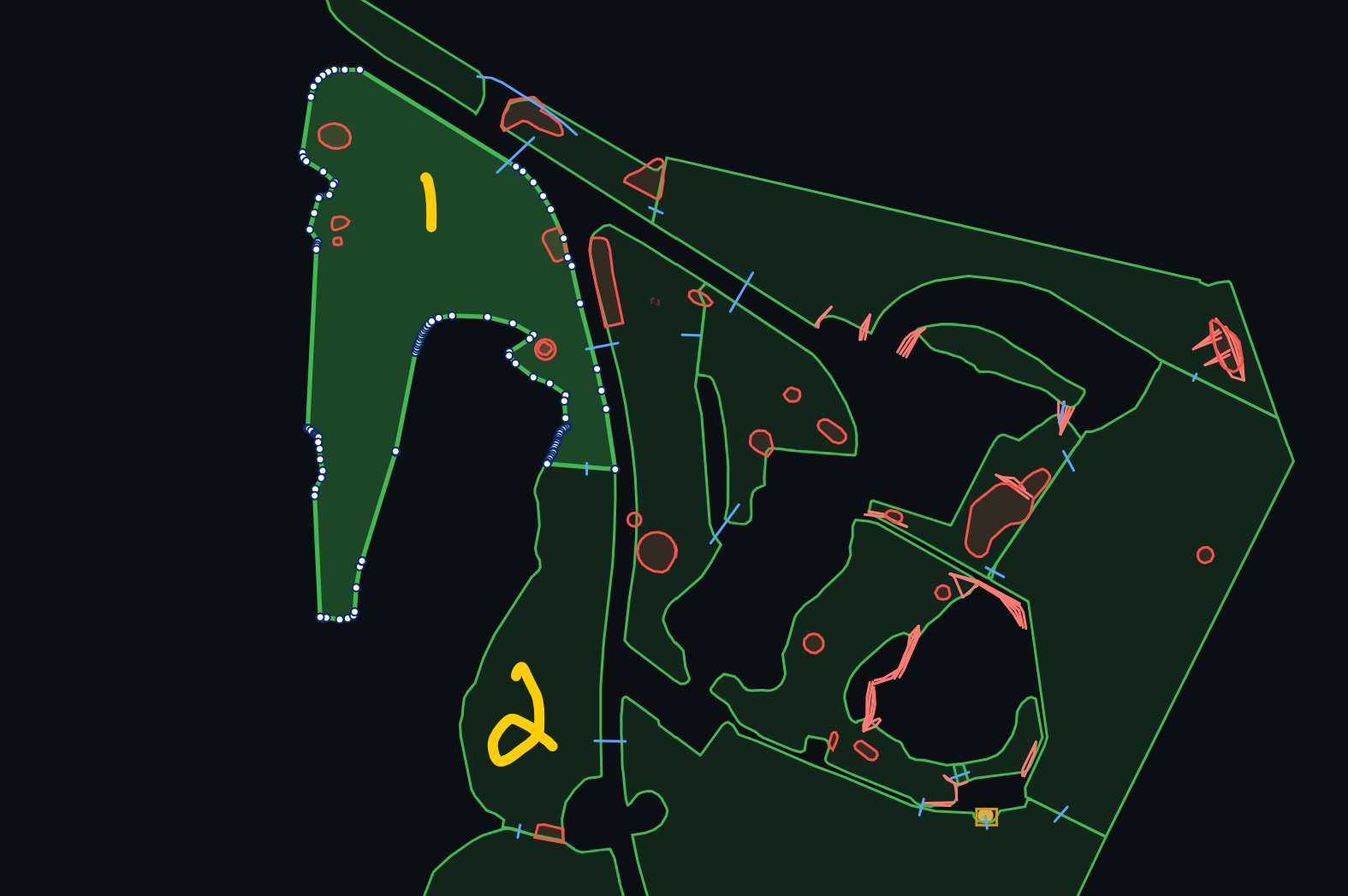
Thanks both, and thanks @CobraDunn for spotting that the order matters. That was the clue.
We’ve reproduced it, and it’s a bug in Combine, not anything you did. Combine looks for the two zones’ corners lining up along the border they share. When two zones were drawn separately, their borders usually wander a little apart and the points along them don’t sit in the same places, so Combine only finds one or two matching corners and wrongly decides the zones meet at a single point. Which zone you pick first changes which corners it matches, which is why the reverse order sometimes works.
A fix is being built now. It follows the shared border along its whole length instead of corner to corner, and it checks the combined zone before anything is sent to the robot. We’ll post here when it’s out.
Fix is on the way TODAY
2 Likes
The fix is out in Yardstick 1.0.14. Open Settings and press Check for updates.
Combine now follows the shared border along its whole length, so two zones that sit side by side join whichever one you pick first, and the combined zone is checked before anything is sent to the robot. @laziebun and @CobraDunn, if you get a chance, give those two zones another try and let us know how it goes.
1 Like
Confirmed this is corrected in 1.0.14.
2 Likes
The updated worked!
3 Likes