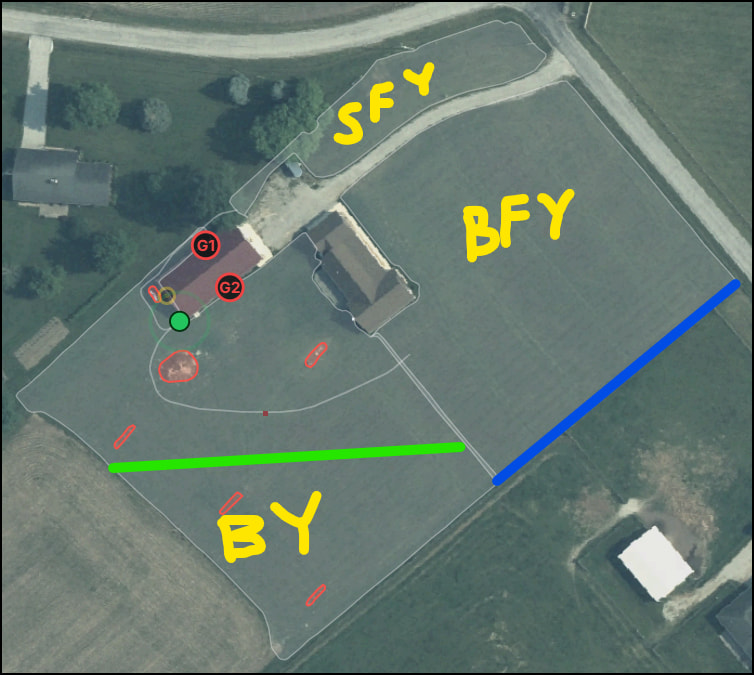
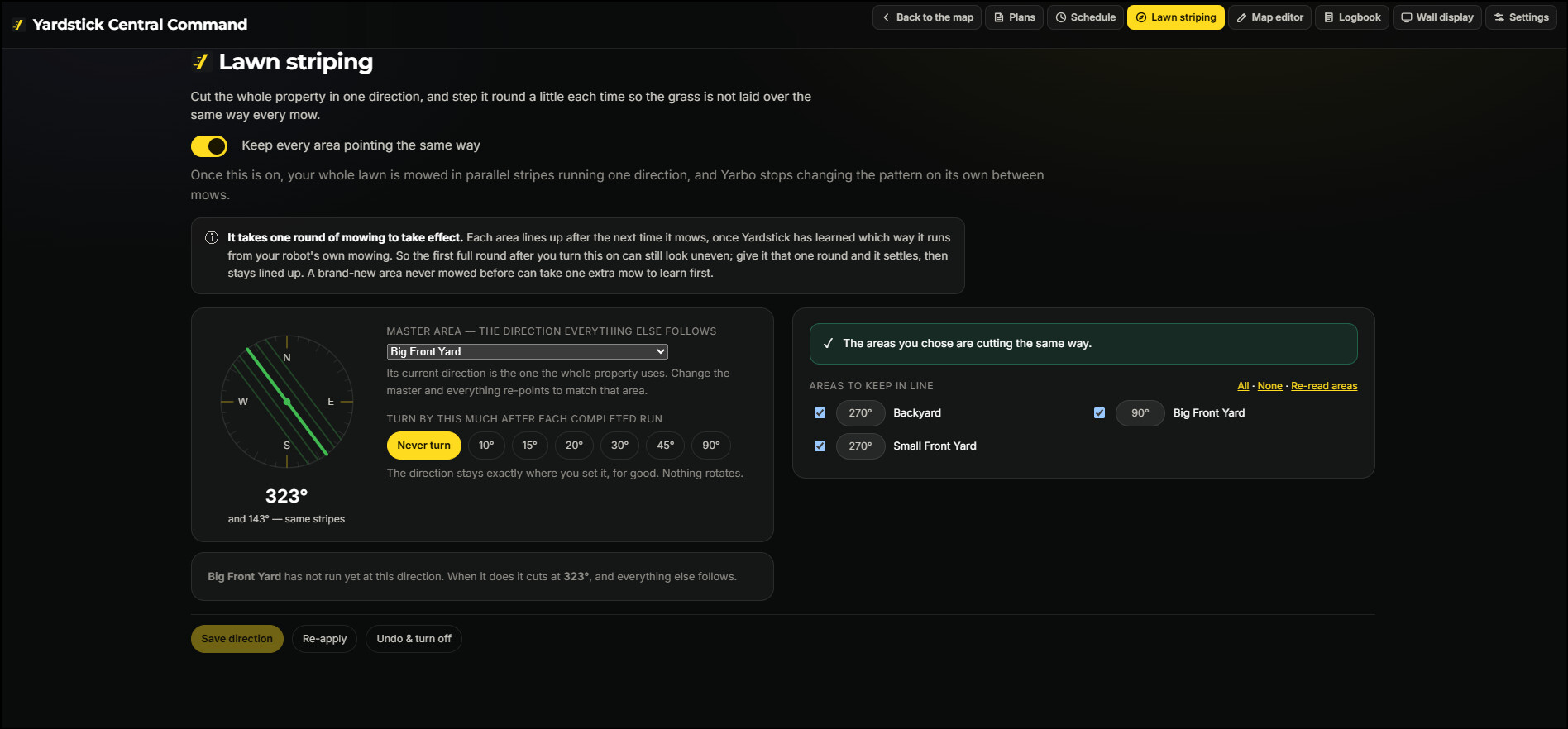
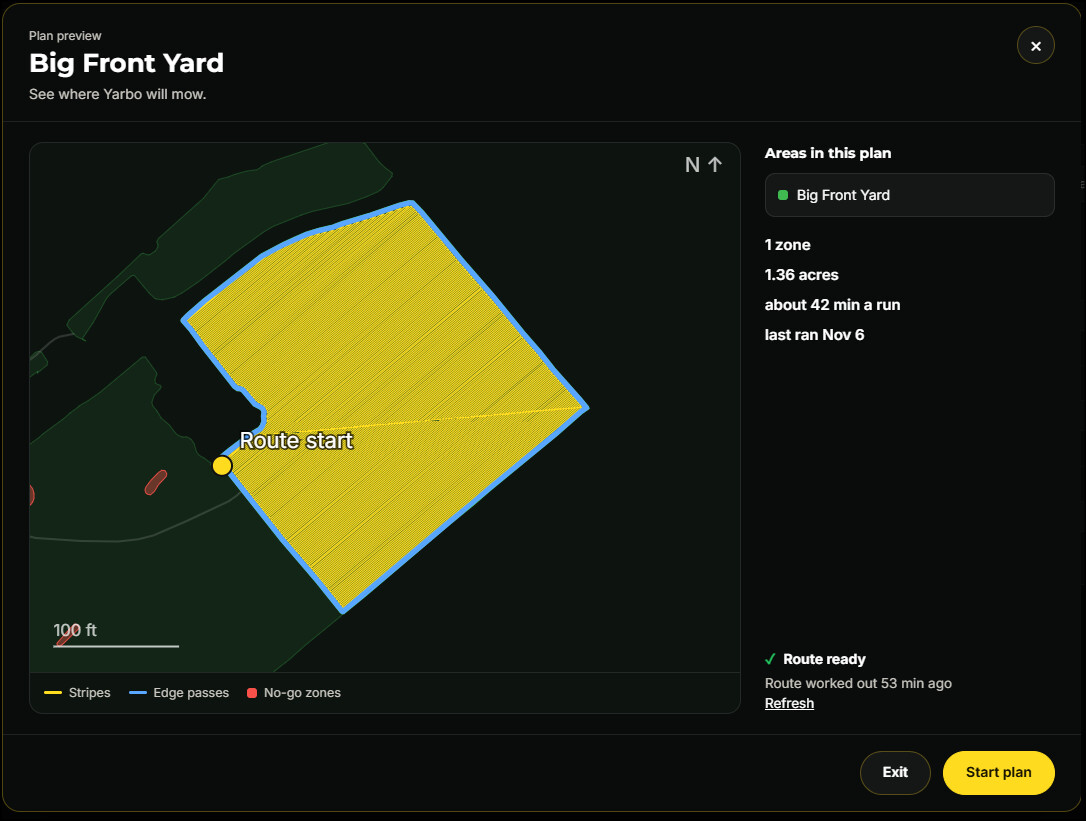
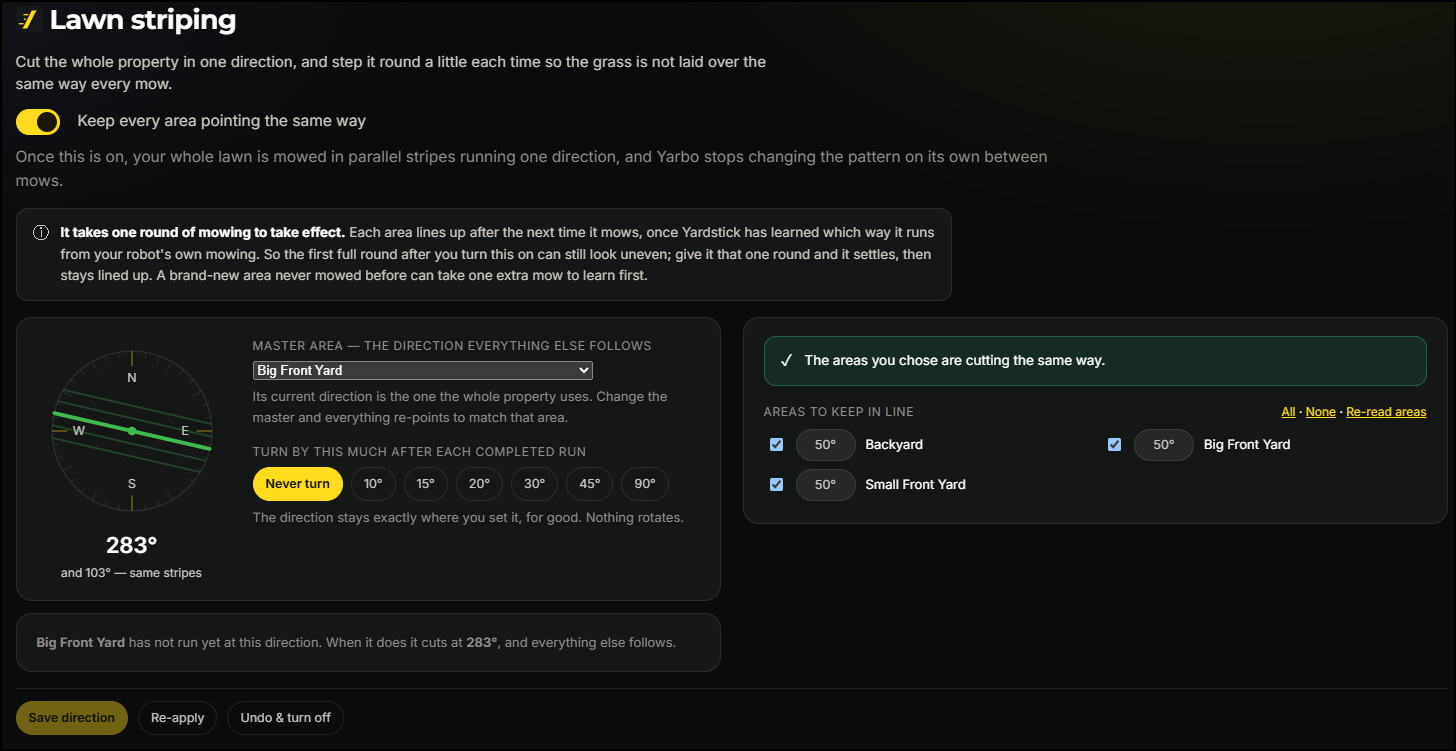
I have my yard broken into 3 areas. Big Front Yard (BFY), Small Front Yard (SFY), and Backyard (BY). I always struggled with the Yarbo map to get my mowing lines to match up. In my Big Front Yard, my mower path follows the fence line (Blue Line) and looks good. I can get the Small Front Yard to match this pretty closely. It is the backyard where I can’t get it to align with the front yards path. Using the Yarbo App, 90 degrees is too much and 80 degrees is not enough.
I just started using Yardstick after receiving my replacement core (about 1 week ago) and thought I understood the “Yard Striping” but apparently I don’t. I want all of 3 zones to follow the blue line on the map below. At this point, I am fine with using this path all the time without rotation, if the yard gets too torn up, I might reconsider that. When I ran my schedule, the backyard path followed the green line below. Can someone help me with settings so that everything will follow the blue line?