I have two zones that are next to each other. The shared border has the orange map points on it where both borders are controlled by that single point. How do I split them so I can move one zones shape and leave the other one alone?
Hi @Naonak, happy to help with this. So we’re sure we understand exactly what you’re after, could you post a screenshot of the map editor showing the two zones, and mark it up to show what you’re trying to do? For example, circle the orange points you mean and draw where you’d like each zone’s border to end up. A sentence or two on why you need them apart helps too.
If you’d rather not share your map in the public forum, which is completely understandable, just open a help desk ticket from Settings with the same picture, and we’ll work through it with you there.
Between us and the other folks here, someone will be able to help. And if it turns out the editor can’t do what you need yet, we’ll work out how to add it so you can.
1 Like
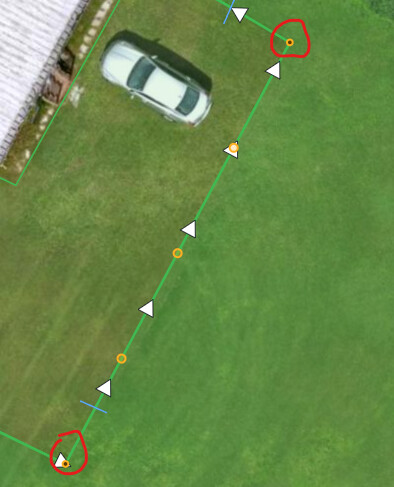
I need to split the two red circled orange connection points so I can resize the inner area from the outer area. Shared borders like that miss a little strip of grass and I need to overlap the areas so the mower catches the strip of grass.
Can you zoom out a bit on that map so we can see more of it?
I can… but I don’t see why that’s relevant? The problem area is the area I’ve shown already. I need to resize the shared border into a non-shared border.
The only way I can do it right now is to move one of the maps which splits them, but then I can’t get the map back into the right position after that so it’s not really a solution. Moving the entire map with the arrow keys does not work.
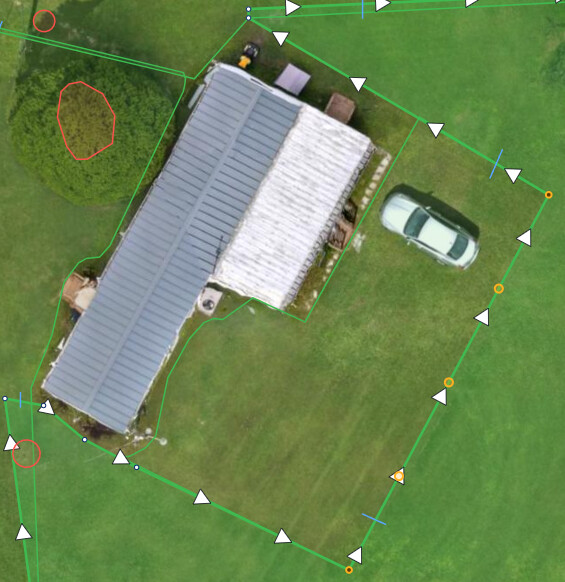
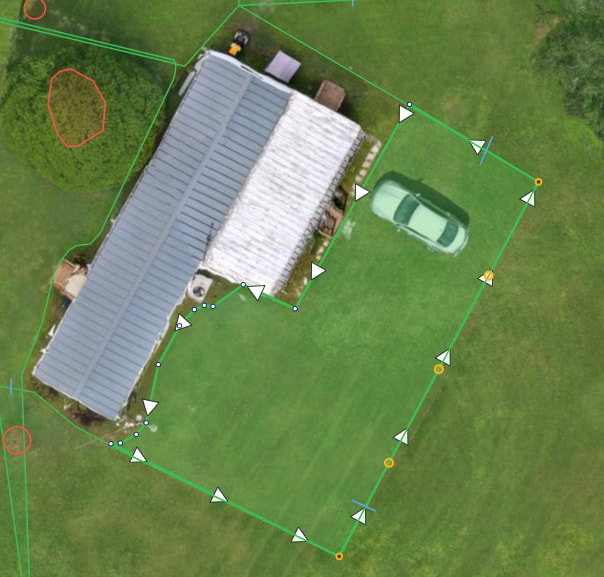
Thanks, @Naonak, that makes it clear, and you’re right that the overlap is a good way to catch that strip of grass.
Here’s what’s happening. When two zones share a border, the map editor treats every point on that border, including the orange end points you circled, as one point that belongs to both zones. Dragging, adding or removing one changes both zones together. We built it that way so that after a Split, reshaping the border between the two halves never opens a gap. What we didn’t build is a way to say “just this zone,” so the only way to separate them today is moving a whole zone, which, as you found, wrecks the layout.
Here’s what we’d like to add:
- An Unjoin button. Click one of the orange points and, alongside the other point actions, you’d get Unjoin. One click and that point belongs only to the zone you have selected, so you can drag it on its own. For you that’s your two circled end points, then drag the inner zone’s edge out past the outer one to make the overlap.
- A pointer to it. When you drag a shared point and both zones move, the message at the bottom would also tell you how to Unjoin it, so nobody has to go looking.
- A shortcut for people who know it: hold Shift while dragging an orange point to move it on that zone only.
Shared borders would still stay joined unless you choose to unjoin them, and nothing reaches your robot until you press Save, the same as now.
Does that do what you need? If so, we’ll get it into the next release.
1 Like
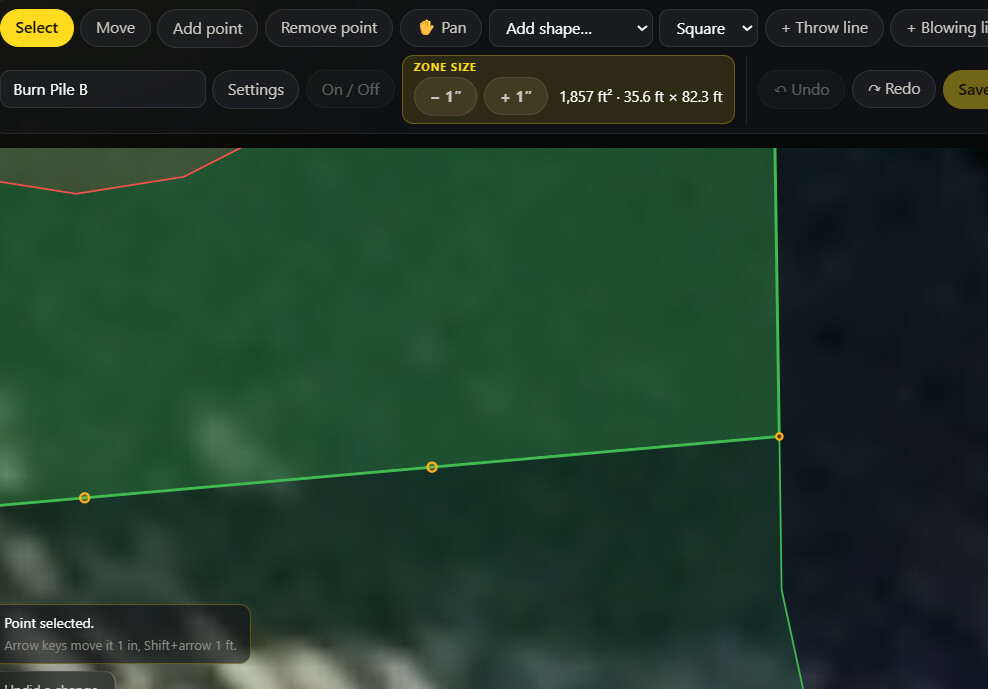
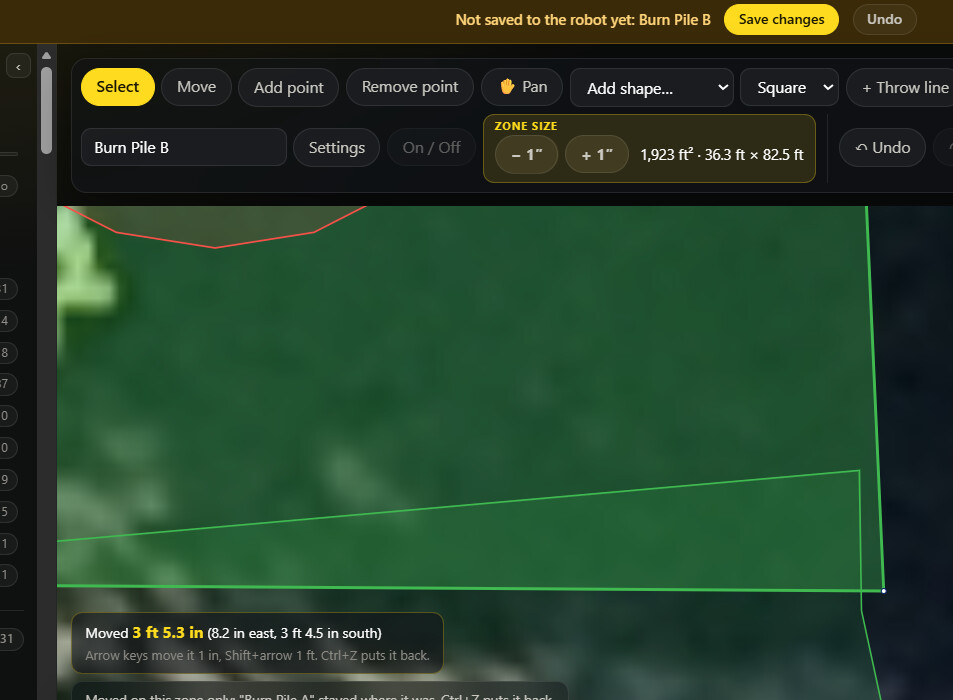
Great find @Naonak! I hadn’t run into that one yet but I’m sure I would’ve.
Yes that’s exactly right and it will solve the issue, thank you!
Just to double check you have the Perimeter buffer set to 0"? I think this is a “bug”, might report it on the Yarbo forum as a feature request and/or bug
Can you elaborate?
No, I can’t set my perimiter buffer to 0" because I have many, many perimiters that need the buffer. Internal perimeters don’t need that buffer but the external ones definitely do or it clobbers fences and gets too close to the road.
This one specific case is the only one that is a completely internal map that has no external edge and only because it’s a common parking area and I’ve wrecked the yarbo and several cars so many times on cars that park there unexpectedly that I now keep that space as a completely separate mowing space that I only activate when I know there’s no cars present or will be present during the mowing job.
Oh, yeah so that definitely won’t work for you. I think we should be able to select/draw what borders get what buffer and same for the extend area boundary. That could help in these scenarios as even with 0" buffer I also was having to overlap my areas a ~foot to not miss grass
2 Likes
@Naonak 1.0.29 is out. Select the zone, then hold Ctrl (Cmd on a Mac) and drag an orange point on the shared border, and only that zone’s edge moves, so you can overlap the two zones to catch that strip of grass. Step by step on the support page: https://yardstickhome.com/support/shared-borders/ and everything new is in the changelog: What's new in Yardstick
2 Likes
Glorious, it works perfectly! Thank you!
2 Likes