I’m not sure I’m clear on where to position the iines for the blower. I kinda get it from the instructions but kinda don’t. Can someone break it down for me.
My blower is targeted to arrive on the 19th and I already have leaves falling. I need to blow the leaves around some large planters and hoping the lines will help. I need to blow half the lawn to the back edge (top) and the other half to the bottom right.
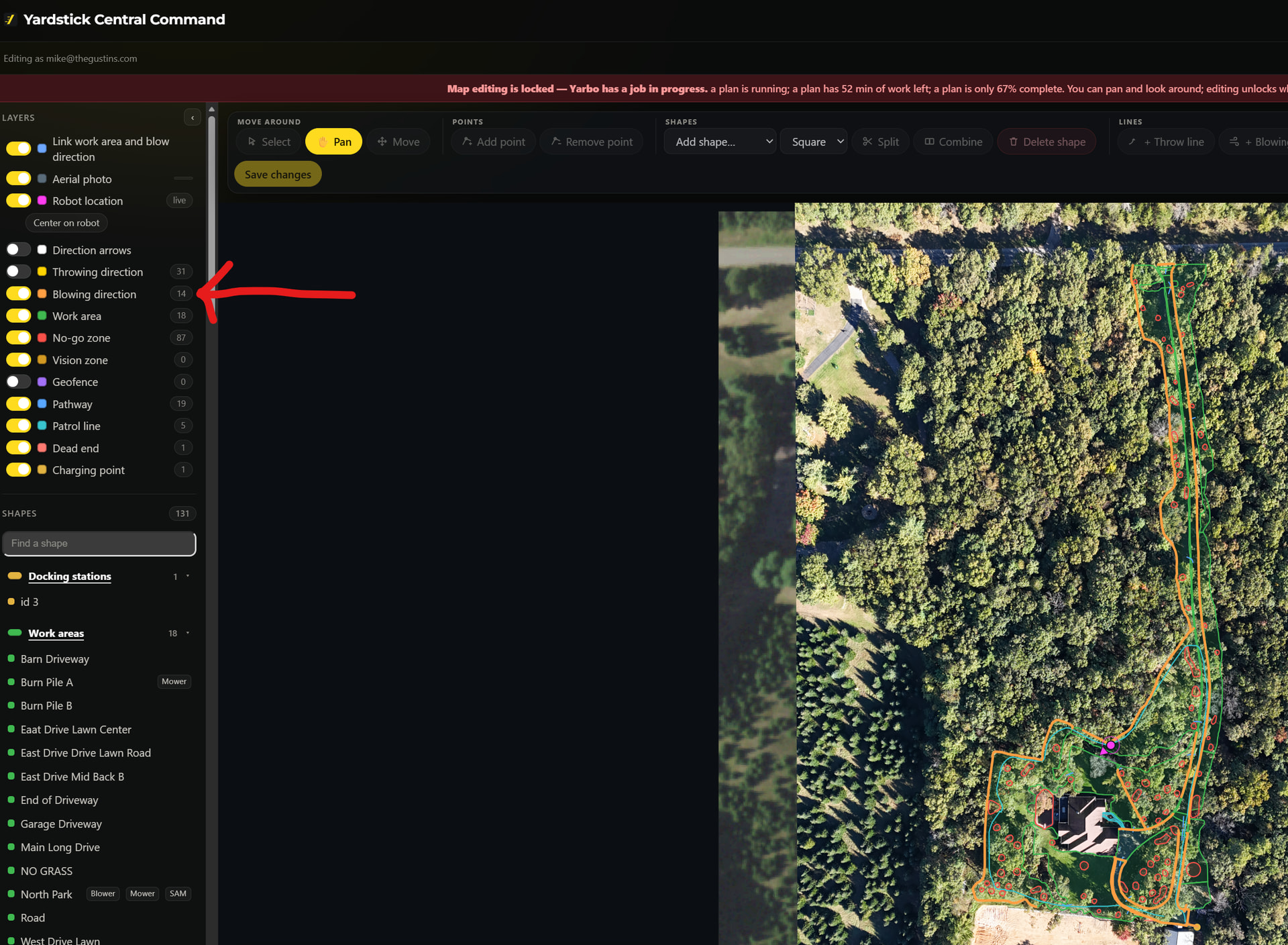
They are in the map editor. That looks like you are probably on the regular map screen / main control screen. Also, make sure you’re on the latest release.
Sorry I wasn’t clear… I’m aware of that toggle in the map editor. It allows lines to be drawn. I can draw the lines / points but what I’m not clear on the purpose. I’ve read instructions and was hoping someone can help me understand.
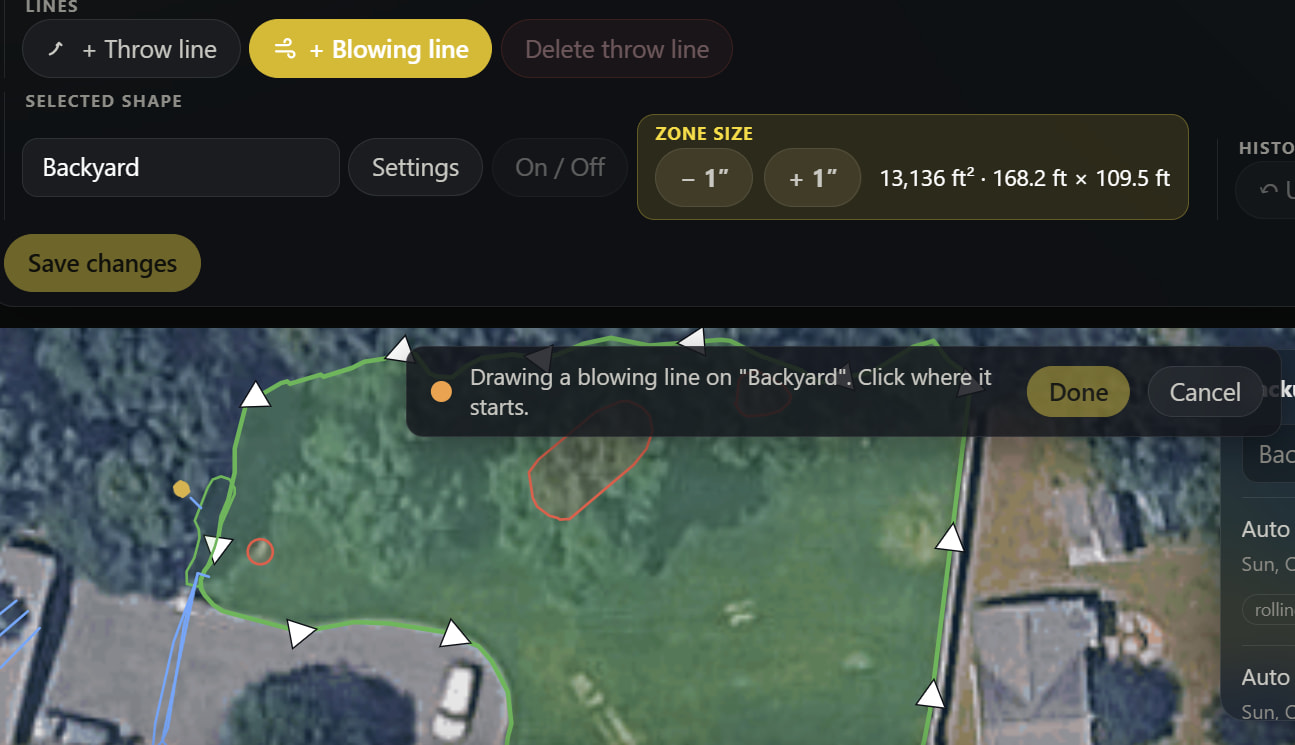
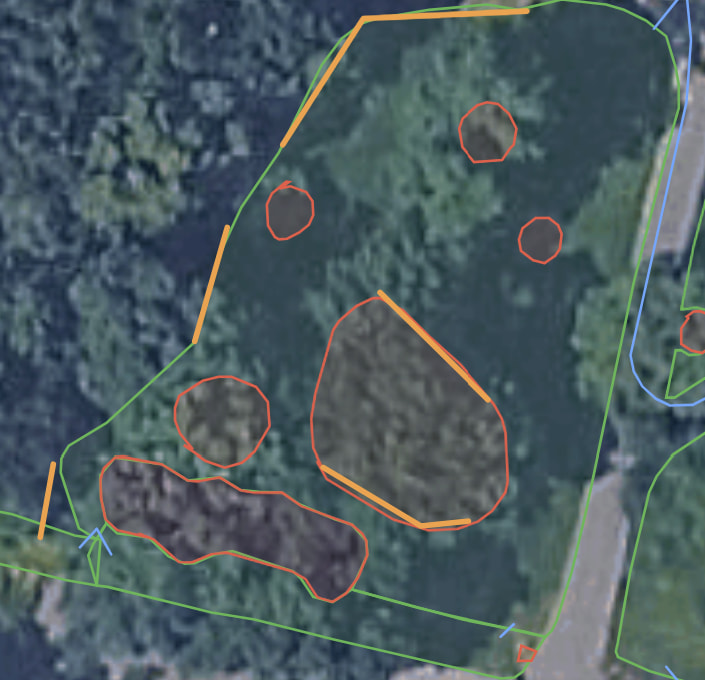
I drew a line but not sure what the blower will do with the line.
Also, I’m not able to scroll up to more easily edit the area. The top menu area usese a lot of screen space and the “Drawing a blowing line…” covers part of the map. One more thing, I have to use the + - to change the size versus pinching the display.
If it’s similar to the snow blower, you might have to create smaller zones so you can change where the aim of the blower is in different locations. You can try to have multiple lines but it may do odd things with the route planner
I don’t have a snow blower and new to this. I’m assuming that the blower is supposed to blow in the direction of the line. The app allows me to draw multiple lines, is Yarbo smart enough to figure it out or is only 1 line per area allowed?
You can try it, for the snowblower having choices for the algorithm to auto choose from could make it do some odd things. I’d suggest “previewing” the generated path first in the Yarbo app and then watch it a bit to see if what it does is reasonable.
Oh interesting. Must be fairly different logic, I still don’t get why they got rid of the adjustable nozzle… But with yardstick you can copy the areas and then split them and leave them overlapped. The Yarbo path planning logic sometimes gets confused by overlapped areas but you can make it work. Probably wouldn’t hurt to put in a feature request and/or vote on some topics in the Yarbo forum if it’s unworkable for you.