A program can run every N days, counted from a start date. Every third day
stays every third day, so a run skipped for rain does not push the whole
rhythm later and later. That is the part people ask for by name.
There is also a curfew: a time you set, after which the robot is sent back
to the dock rather than starting anything new.
One limitation worth stating plainly, because it surprises people. Yardstick
cannot create new plans on the robot, only schedule and chain the ones you
already saved in the Yarbo app. So make your plans there first, then build the
schedule here.
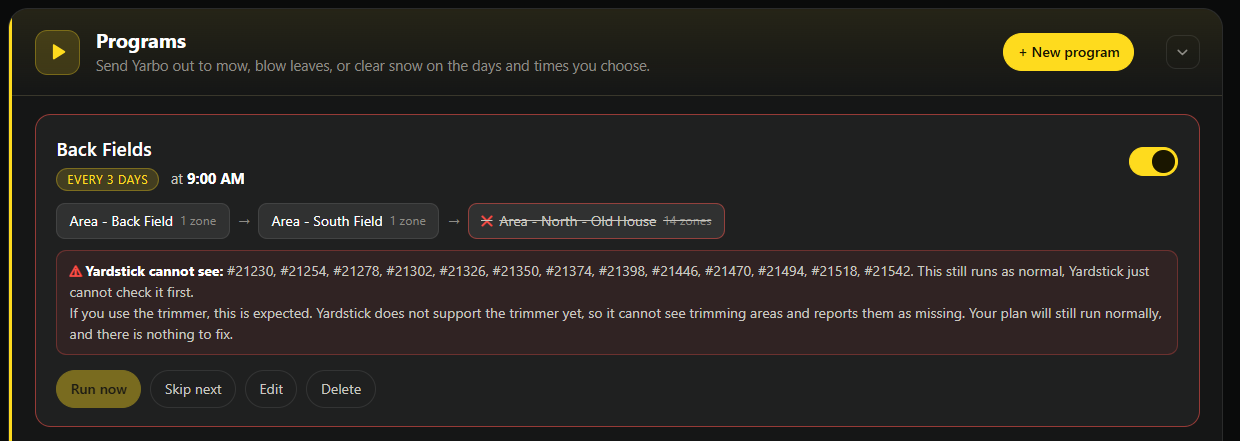
@cobradunn It looks like something in a schedule was deleted, we flag the trimmer as something you can ignore but was some other areas deleted in one of your mapped areas?
That is it! We ignore the deadends. We will look a cleaning that up so it is clearer and less confusing for the next release. Thank you for calling it out!
No - we are actually going to pull this out of the interface because it is information that can cause confusion. We displayed it but did not do anything to prevent a schedule from running. In short, with version 1.0.1 and newer this will no longer be displayed.
Editing a Schedule Program displays a pop-up with the settings. Clicking outside of this pop-up closes it without notification and any changes are lost. Clicking outside should at least require a confirmation or better yet be prevented and require clicking Delete Cancel, or Save.
I have an HA automation that turns off sprinkler schedule if it rains for more that .25" for 1 day and 2 days if last rain was over .4" But, it is based on the rain I get in my Ambient weather station that broadcasts on wunderground. NOAA readings are a lot different from what my station gets in temp, rain and especially wind.
Any chance the scheduler weather option can be based on something like wunderground, PWSweather, CWOP, etc. that isn’t brand specific?
I’m not familiar with Tempest. It would be nice if