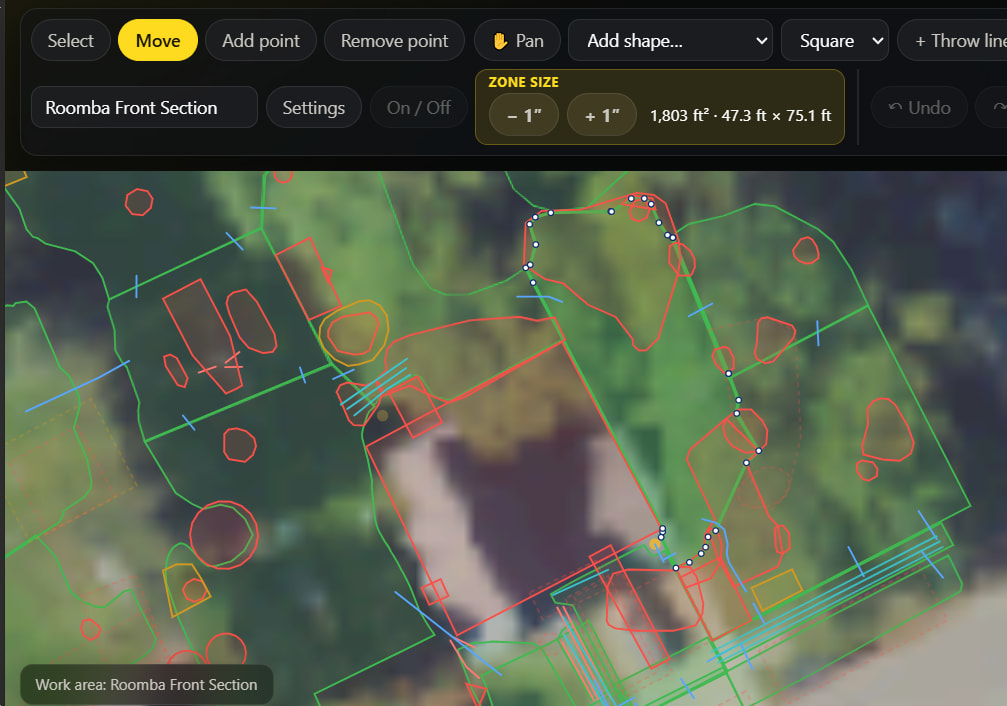
I was going to split this area but to split off just the corner it was saying there were 4 intersection points, so I ended up just adding and removing a bunch of points manually.
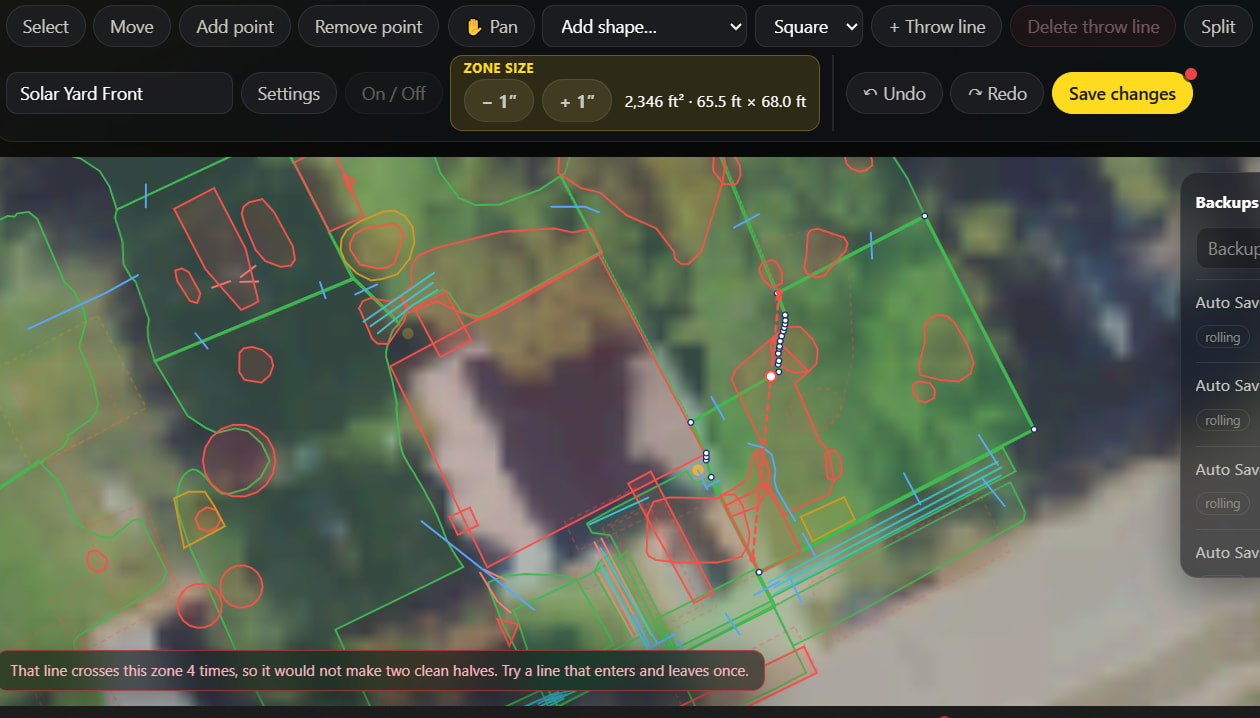
Ended up with:
I was going to split this area but to split off just the corner it was saying there were 4 intersection points, so I ended up just adding and removing a bunch of points manually.
Ended up with:
Thanks for posting this with the screenshots, they show exactly what happened, and you found a real limitation in Split rather than doing anything wrong.
Here is what the tool does today. Your two clicks only set the direction of the cut. The editor then extends that line both ways right across the zone, and counts how many times it crosses the zone’s own outline. On a simple shape that is twice and you get two halves. Solar Yard Front wraps around the house, so the extended line leaves the zone and comes back in further along: four crossings, and it refuses, because cutting there would pinch the zone rather than split it. The stretch between your two clicks was a perfectly good cut. The part of the line you never drew is what got it refused.
Two things it was not: the no-go zones have nothing to do with it (the count is only against the outline of the zone you are splitting, so hiding that layer would not have changed the answer), and it was not the dense run of points along that edge.
We are changing it so that Split cuts where you draw: click two points on the border and, as long as the straight stretch between them stays inside the zone, that is the cut, whatever the line would have hit if it carried on. That would have taken your corner off in two clicks. It will still refuse a cut whose own drawn stretch leaves the zone and comes back, since that one really would not make two pieces.
Until that ships, the only way through is a direction that crosses the whole zone just twice when extended, which on a shape like yours may not exist for the corner you wanted. Moving the points by hand, as you did, was the right call. Sorry it cost you the time.