I have a long narrow area on one of my “areas” to mow. I created DEAD end runs inside it because turning around is not a good idea as it is on a hillside. Do I need to remove that part of the area and recreate the dead ends - od do DEAD ends have to be already inside an approved and marked are in order to create them? Let me know if you don’t understand. I will attach a picture - the long narrow area at the top of this picture is where I have created the dead ends and you will see that they are INSIDE the mapped are - I do not want it to actually try and MOW the mapped are in addition to the dead ends - I only want the dead ends to be mowed.
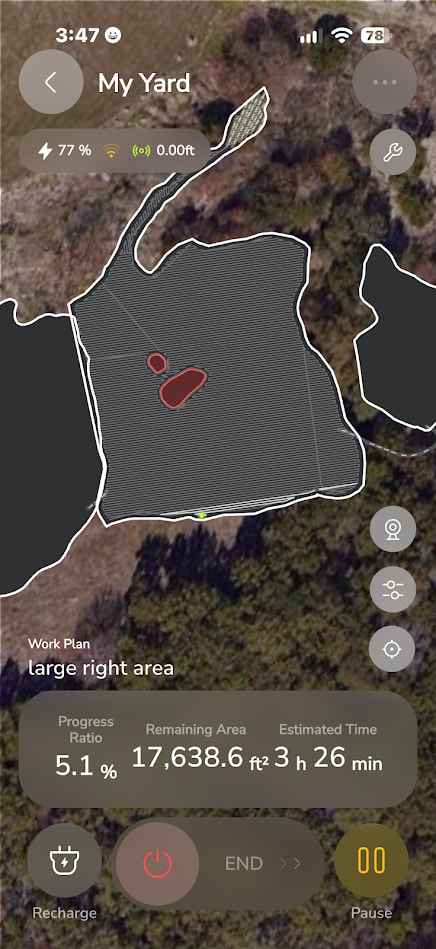
Dead ends have to start at least 3 ft inside a mapped area. They don’t have to be all inside of one.
If you only want to use DEs to handle that steep section it should not be part of an Area. Your DEs just need to start inside the area below. Your pic is of the Yarbo app so I’m not sure if you’re using Yardstick yet.
Does not need to be an area. HOWEVER, if the core ever gets lost while doing a DE, it might be nice to have an area lying beneath it, so that when GPS recovers it can find its way back to work.
In the case of your map, that entire peninsula can be its own area, connected to the main area with a pathway. Then never mow it. Only use DEs.
2 Likes
I like the belt and suspenders approach, hadn’t thought of that.
1 Like
Let me see if I can understand - yes - I took the picture from the YARBO app but I am using Yardstick as it is WAYYY better at almost everything - however - it does not show as clearly - unless I am missing the place - where the mower is and what the mapping looks like. I thought that the picture I uploaded did a better job of showing what I wanted to communicate.
NOW - I THINK that you are saying that I SHOULD NOT leave it as I currently have it because the ROVER absolutely WILL try and mow that since it is part of the mowing area. SO - I need to split this into a separate area and NOT mow it but have the DEAD ENDS go up into the non mowed area. That sounds perfect.
Could I pick your brain a little bit more? what is the easiest way to edit the map to accomplish this?
- separate the peninsula into its’ own area.
- can I leave the current dead ends there and just split it or do I have to remove the dead ends, then split the area and the put them back?
Split it where you don’t want mowed. Put a pathway from the mowing area to the area you don’t want mowed. The dead ends can stay as is. It will know how to get there once you have a pathway
2 Likes
Not sure if this helps but these are some of my dead ends. I made an L shaped area which is basically the start “pad” for my dead ends. This is for a hillside section that is fairly steep.
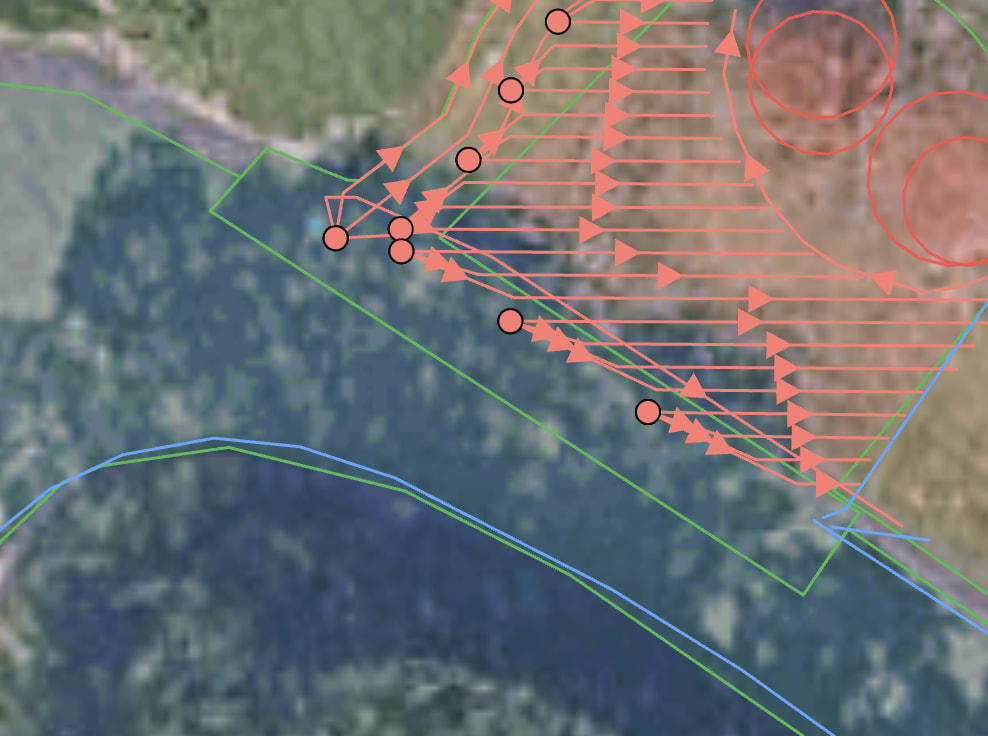
Also, with yardstick it is simple to tweak the dead end starts so using one my favorite things I learned on here, the fan out pattern, is the way to go. It will back up to the same point and not stop the mower so it is much faster. I save 45 minutes in mow time when I optimized this hillside section in yardstick.
1 Like
Is this all inside a mowing area, or do you start inside a mowing area and go outside a mowing area, or how does the mowing area relate to where you start the dead end?
Thank you for your response, by the way. This is amazing and what I was hoping I could do because my hillside is steep and as long as it doesn’t turn, I’m OK is when it turns around that it has a problem
Bill
The only requirement is a DE must start inside an Area and not in a NGZ. The route can go anywhere.
Yeah all the start dots are in a mowing zone. Before yardstick that area was the entire hill, like your peninsula, but after I could manually arrange my dead ends instead of having to record them, this became a much better setup. Cutting out the middle of the area shape and leaving the L for the DE starts made the yarbo travel more efficiently and also not just cut across the hill as it navigated from other areas.
Here is another example that is closer to what you are doing.
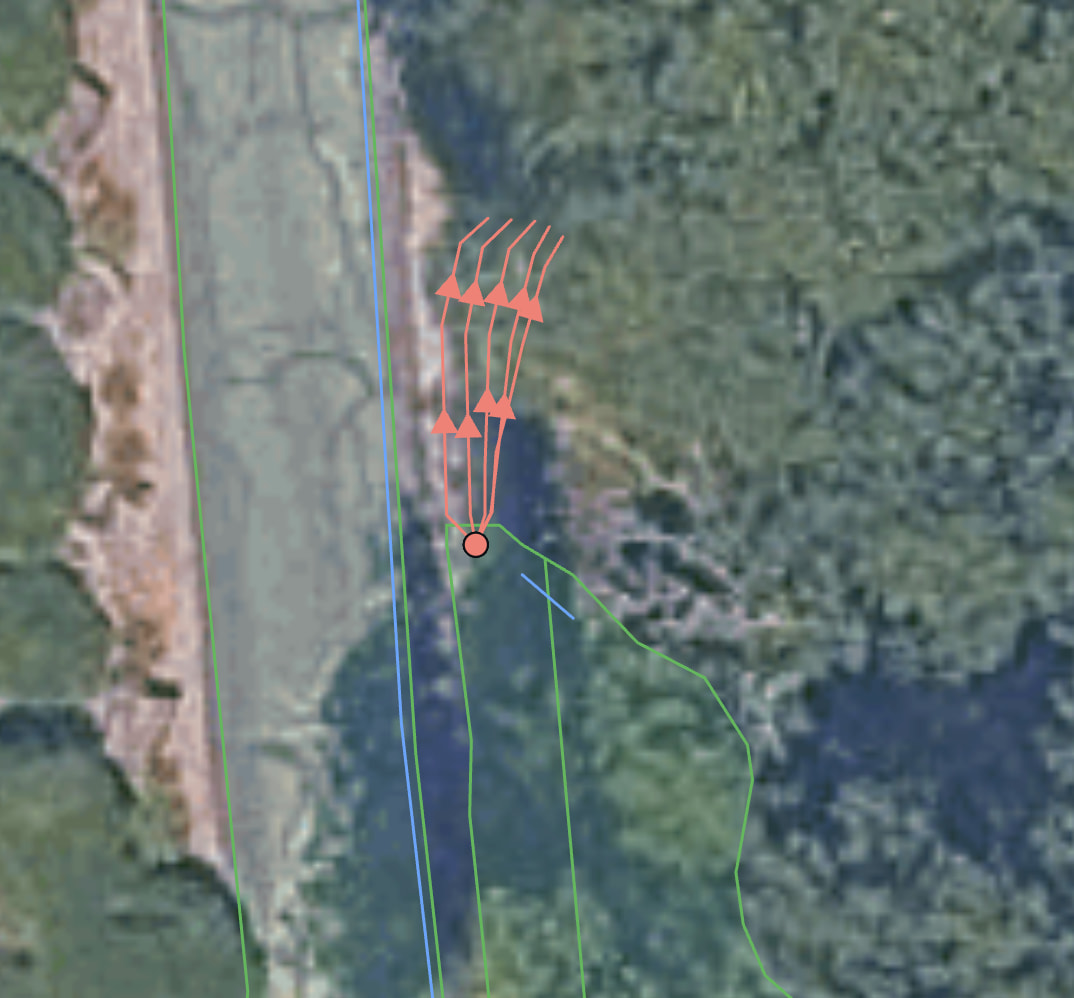
The dead ends are taking up space that used to be the end of the area they start in. I manually drew all the dead ends using the original recorded area I made in the yarbo app. Then once I had all the dead ends in place, I just split the peninsula off and deleted it. The area the dead ends start in still gets mowed like normal but I no longer need it to mow where my dead ends are.
1 Like
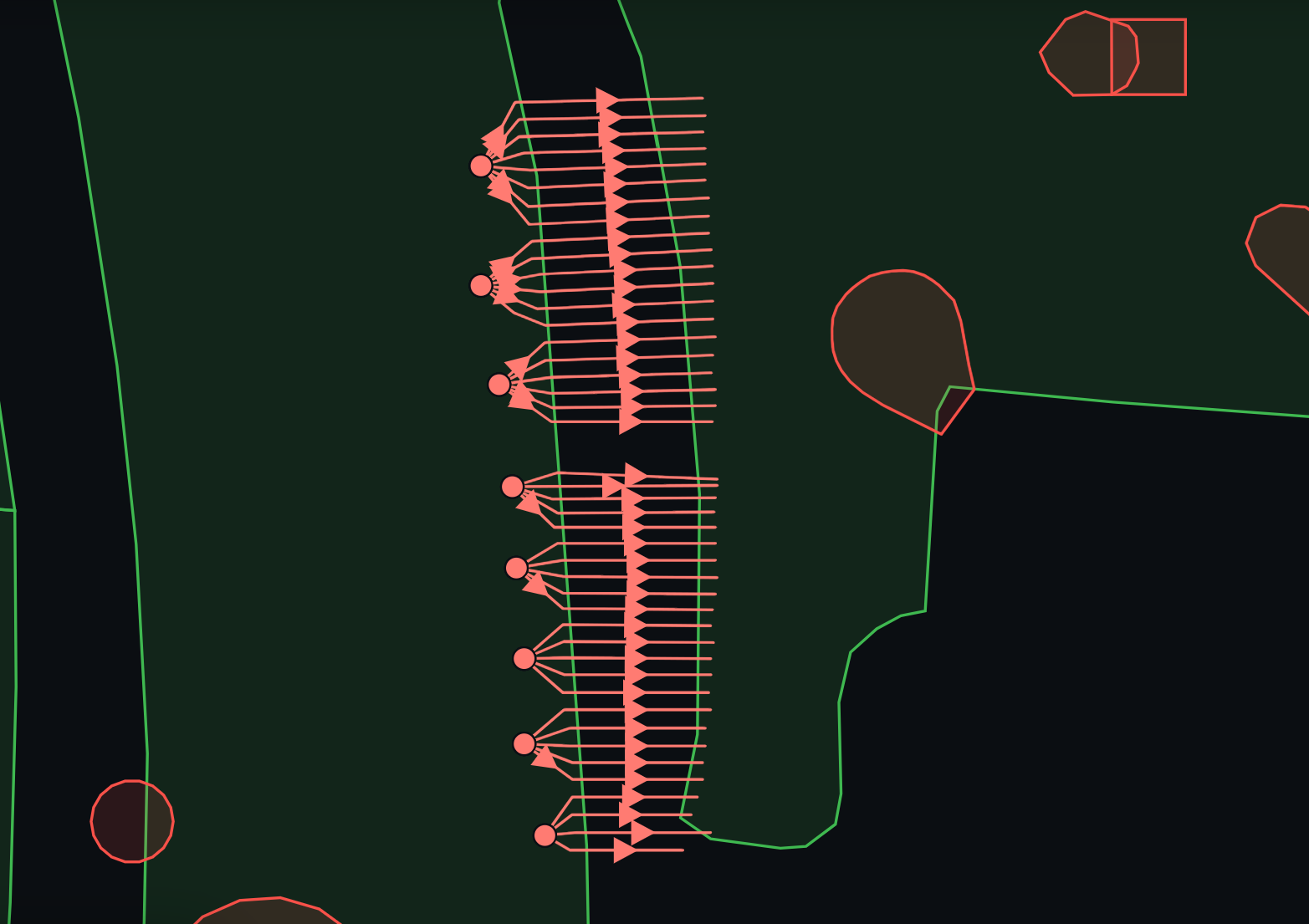
Just had to one up me 
Ha!. I just wanted to show the grouping if you have a LOT 
I’m sure I should start another discussion, but you all are here already and it’s similar-ish. I have a hill that I can really only mow downhill. The top of the hill is private gravel road, so not a lot of space, but enough. I think my best bet would be to travel in kind of a spiral. See pic for start of what I’m thinking. Are Dead Ends my answer to make this work? Also, I understand that it’s going to wear a path to the middle of the earth, luckily I wouldn’t need to mow this every time. Green is the hill area, blue is the start of paths I’m thinking.
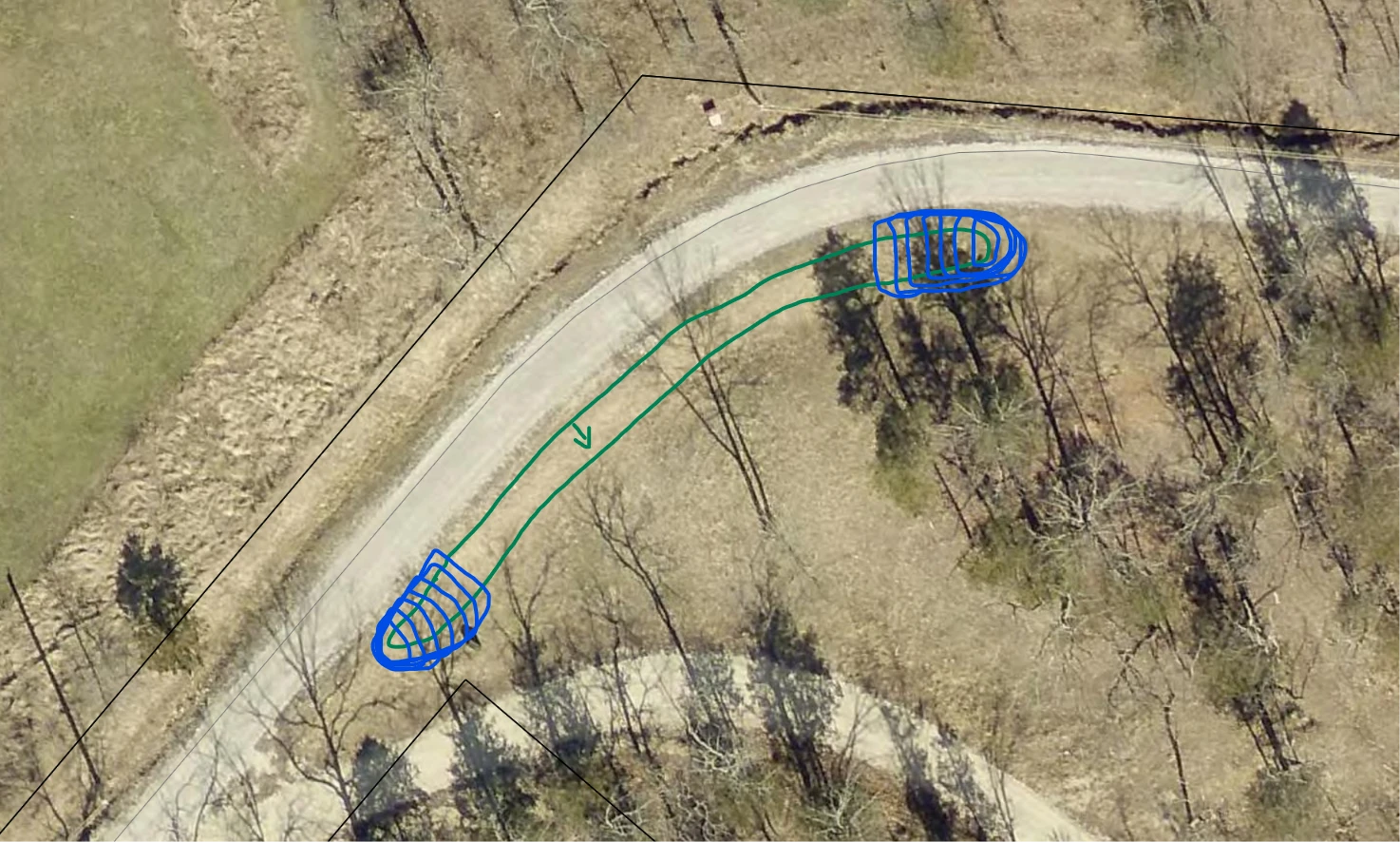
Each Deadend will drive the complete path forward and then back out in the same tracks. It’s hard to tell where your DEs would start and end from your picture. Also, the mower is typically more stable traveling up steep slopes as opposed to down. How is downhill better in your case?
My GUESS is that the downhill goes a LOT farther than he is saying and that he only wants to mow the upper part so he cannot easily START from the “bottom”. But that is MY GUESS.
I agree that it generally works better uphill, my problem is that the hill was created with a rock base (thin layer of dirt over top) and when the mower attempts to go up, the tracks tend to slip and uncover and dig out rocks (2 inch +/-). If I go at an angle downhill, it can fall with style. I hope that makes some sense.
Dead End is certainly not my answer as it’d have to go back up the hill. I should probably put this as a separate post then to avoid confusion.