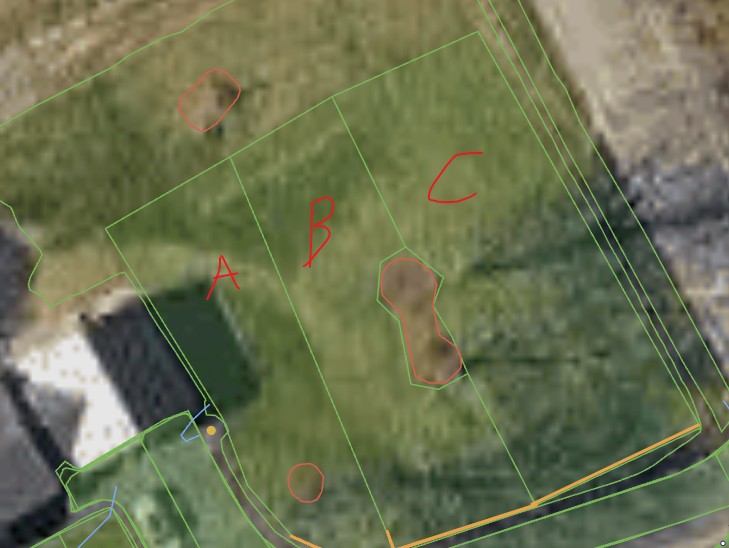
I have a large work zone in the northeast portion of my property. It has a couple of large trees in it. I created a work zone to focus on where the leaves drop for leaf blowing.
I decided to split the area into three portions. A and B are a true split (dragging a common boundary moves both boundaries preventing a gap). First of all is there way to unlock them from eachother? C is its own with common points, but I wanted to exclude the no-go zone from the area.
All three of these together are inside the larger work area.
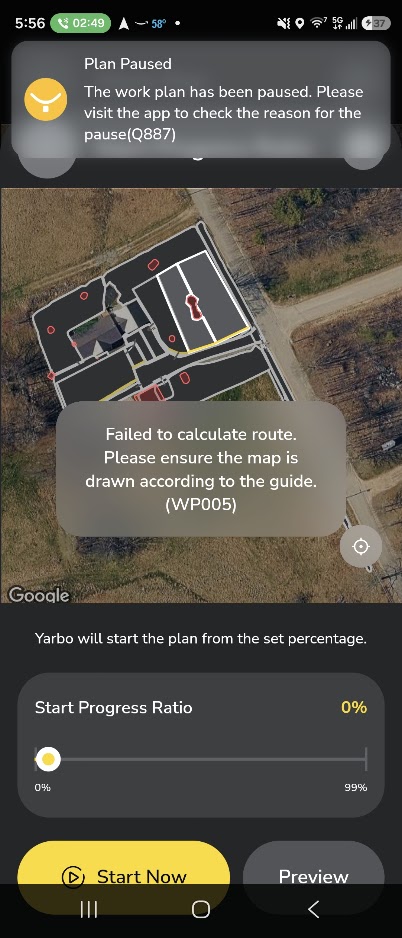
If I only put A in the work plan, it works. If I add B and/or C, or just B or C, I get the error in the screen shot (Q887 and WP005).
There are paths and zones between those new zones and the charging pad. Why won’t it recognize the ability to use the other zones to get where it needs to go?
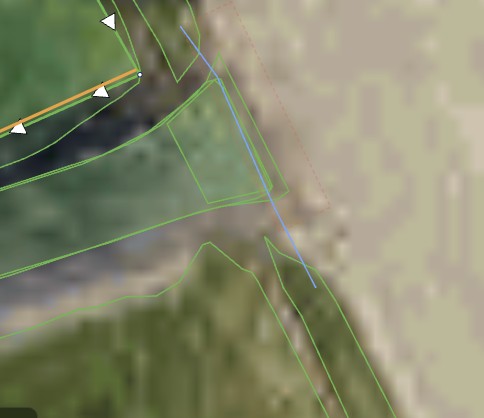
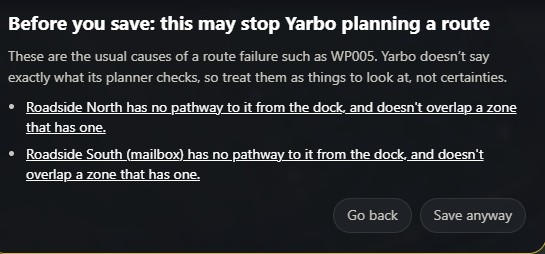
I have the similar issue with the strips along the road. Yardstick is giving me a warning that there is no pathway, but there is a pathway and area to use as a pathway.
I’m not understanding why it’s trying to force me to add more pathways over areas.
@FarmerInfantry@B-Mod has it: Yarbo plans its way between zones along pathways, and won’t count on driving across a neighboring zone to reach one. Zone A works because it connects to a pathway; B and C don’t have one of their own.
What to try: in the map editor, add a pathway from the pathway you already have (or from zone A) that runs into B, and another into C. Make sure each end goes a little way inside the zone it joins, then save and run the plan again.
On the warning: that check before saving is there for exactly this. On the current version, Yardstick looks for zones with no pathway to them before you save, which is what it flagged for your two roadside strips. If it shows up, add the pathway it names before you choose Save anyway.
Unlocking A and B: yes, as of 1.0.29. Select the zone, then hold Ctrl (Cmd on a Mac) and drag the orange points on the shared border, and only that zone’s edge moves. Step by step here: Disconnect a shared border between two zones
Even if the zones touch each other, it’s not enough for Yarbo. A pathway needs to connect them. Pathways are the only route it will use to get from one to another.