Yardstick 1.2.7 is here: driveway sweep for the leaf blower. Open Settings and press Check for updates, or if you are new, download it fresh for Windows, Mac or Linux, including the Raspberry Pi.
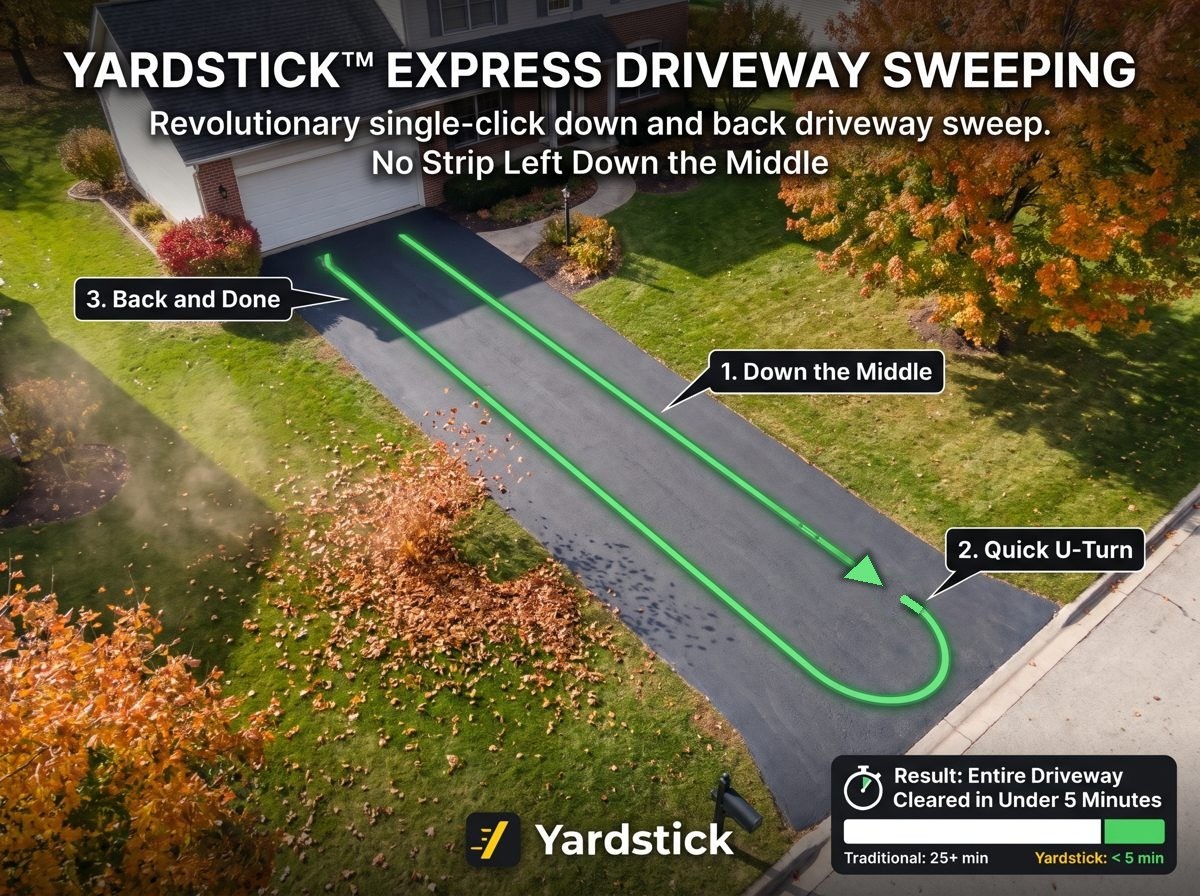
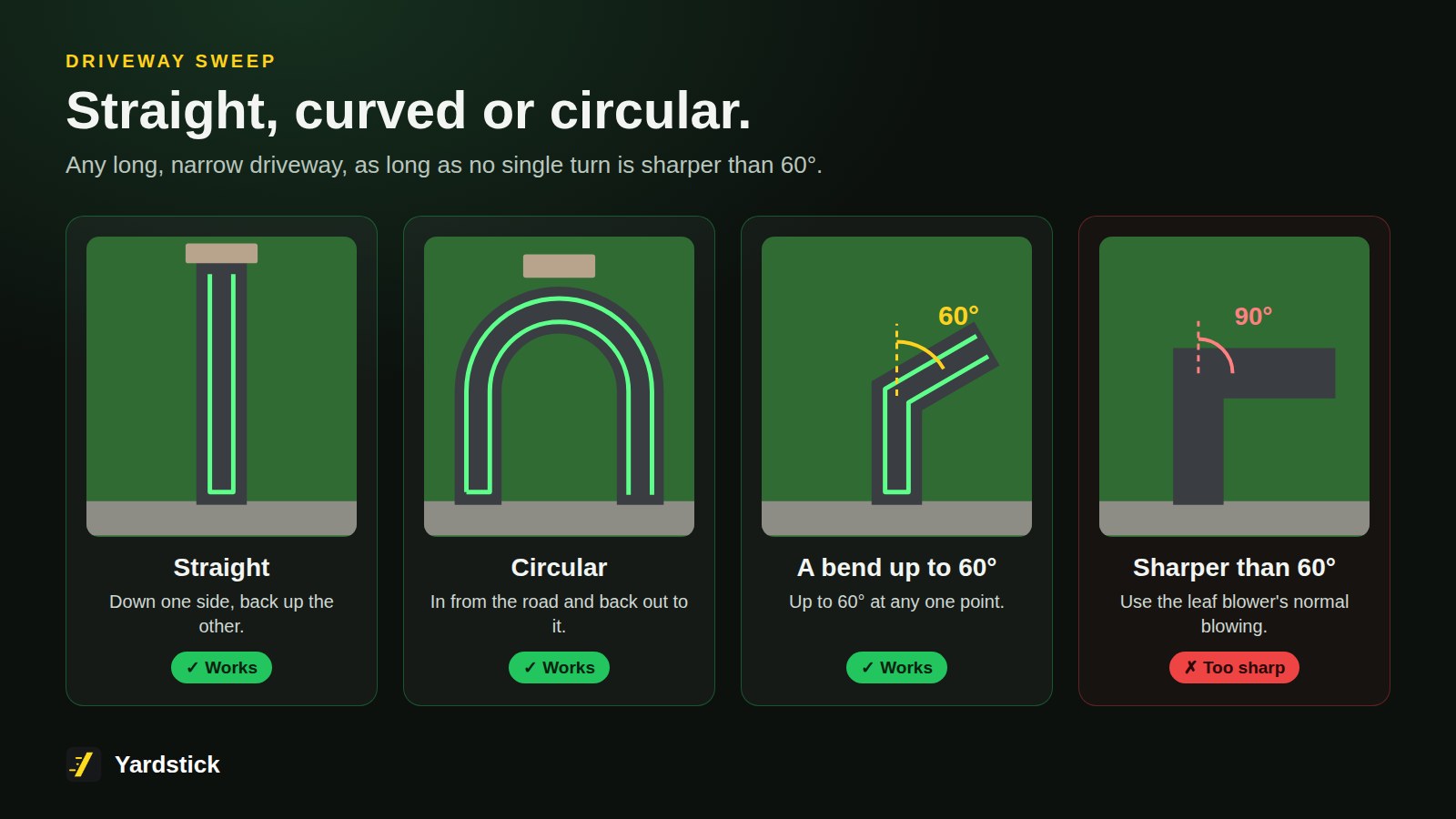
Driveway sweep. Until now, clearing a driveway with the leaf blower meant treating it like a lawn: the robot blew every inch of it, row by row, and it could take more than one charge. A driveway doesn’t need that. With Driveway sweep the robot drives down one side of your driveway and back up the other with the blower on, blowing toward the middle, so the leaves are gone in one quick pass with no strip left down the middle. Our own driveway is a third of a mile long: the old way took all day, and Driveway sweep now does the whole drive on one charge. It works on straight, curved and circular driveways, with turns of up to 60° at any one point. In the Map editor, press Driveway sweep and click your driveway. Yardstick draws the whole thing, four small corner areas joined by blowing pathways plus a way in and a way out, and makes a plan that runs it. Look it over, press Add to map, then Save changes, and you’ll find the plan on the Plans page, ready to run or schedule. The step-by-step guide is at yardstickhome.com/support/driveway-sweep.
Changed your mind? The sweep’s plan has a Remove driveway sweep option on the Plans page. It backs up your map and plans first, then takes off everything the sweep added and leaves your driveway exactly as it was.
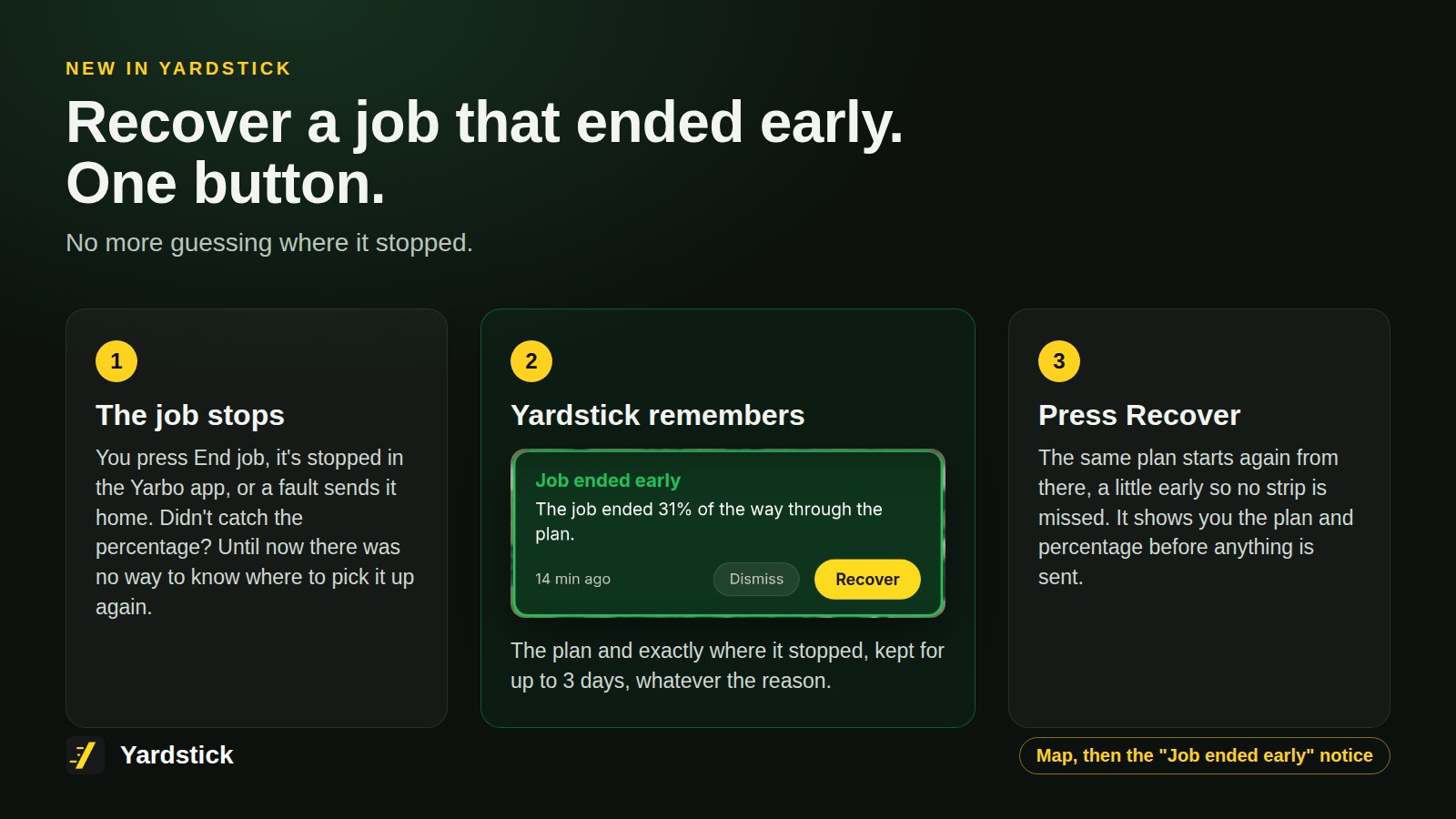
Recover a job that ended early, with one button. When a job ends early, whether you pressed End job, it was stopped in the Yarbo app, or a fault sent the robot home, the Yarbo app leaves you guessing: if you didn’t catch the percentage, you had no idea where to pick it up again. Yardstick takes the mystery away. It remembers the plan and exactly where it stopped for up to three days, and the map’s “Job ended early” notice has a Recover button. Press it and the same plan starts again from there, a little early so no strip is missed. It tells you the plan and percentage before it sends anything.
Start a plan part way in. Each plan on the Plans page has a Start at box beside Times. Type a percentage from 0 to 95 and Start begins the plan there, just like the Yarbo app’s start from a percentage.
New in this release:
- What’s new, right after an update. The first time you open the map after Yardstick updates itself, a card shows what the new version brings, in your language, and Settings > Updates lists every recent release in full.
- The Moving Speed slider on Yarbo’s newer cores. On the Y40 series and the Yarbo Mini, area settings now have the same Moving Speed slider the Yarbo app shows, 0.1 to 1.2 m/s.
- Snow auger speeds match your core. Quiet, Balanced, Power and Turbo now match the core you’re on, and restoring a backup from an older core onto a Y40P carries each area over to the same mode.
- Diagnostics include your area settings, read only, so a new model’s settings reach us with one button.
Improved:
- Off the map only warns around a job. Driving the robot by hand, or parking it while its map is drawn, no longer sets off an Off the map alert. It warns while a job is running or paused, or within half an hour of one.
- The wall display shows each blade’s speed, left to right, always as a speed.
- A page nobody is using pauses after 30 minutes, and any click, key or touch brings it straight back. The wall display keeps running.
- Moving to Yardstick Anywhere starts from one button, with no code to type, and keeps your Weather rules choice.
Fixed:
- In some cases, a plan held over quiet hours did not carry on when they ended. It now picks up from where it stopped.
- In very limited situations, zones did not line up with the aerial photo in the Map editor, and All time hid them.
- With two robots, each robot’s alerts now use its own map.
- The map and aerial photo come back quickly after a restart.
- One robot Yarbo cannot reach no longer stops the rest from recording.
- Trouble pins stay on the right yard with more than one core.
- “Show only this” in the Map editor works both ways.
- The fault code list is quicker on a busy yard.
- Home Assistant’s Blade height is in inches, and right on an M1.
The full list is on the What’s new page. Thanks to everyone who reported these on the forum, and to our beta group for driving their sweeps.